Content Operations Automation Template for Small Businesses
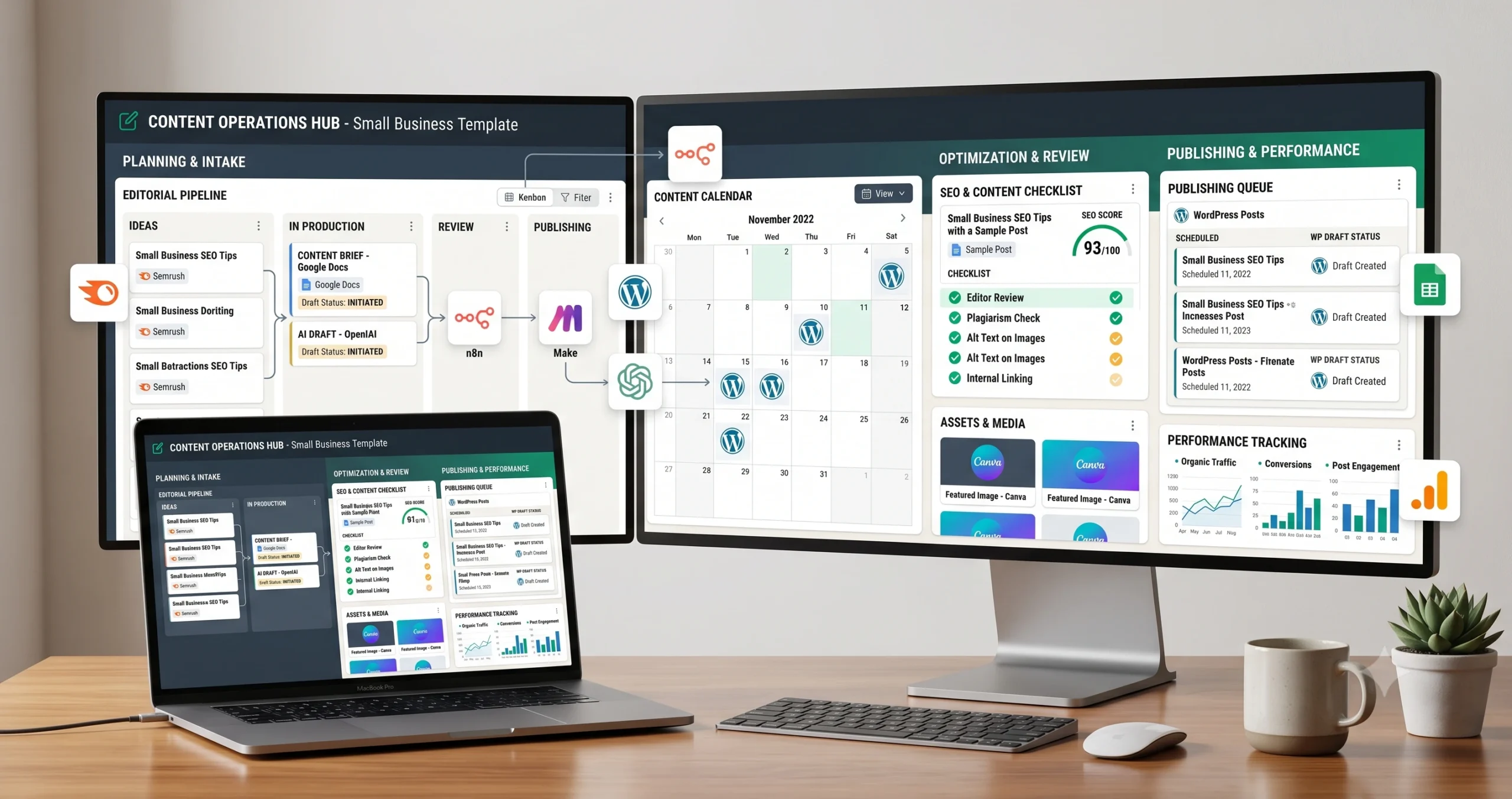
A content operations automation template helps small businesses manage the full publishing workflow from idea to brief, draft, review, SEO checks, image preparation, WordPress draft creation, approval, publishing, and performance tracking. Instead of handling every content task manually, this workflow turns content production into a repeatable operating system.
This template is useful for small business blogs, agencies, consultants, SEO teams, affiliate sites, and content marketers that publish regularly but struggle with scattered briefs, inconsistent drafts, missing internal links, weak review steps, or rushed WordPress formatting.
In this guide, you will learn how a content operations workflow works, what can be automated safely, where human editing is still required, and how to connect tools such as spreadsheets, project boards, AI writing tools, WordPress, SEO checks, and reporting. If you are new to automation, start with our AI automation for small business guide, then explore the full TakeYourAI workflow templates library.
Quick answer: Use this content operations automation template when you want to turn topics or keywords into structured briefs, AI-assisted drafts, editor review tasks, SEO checks, WordPress drafts, approval steps, and performance tracking. Do not publish AI-assisted content automatically without human review, fact checking, formatting checks, and final approval.
What This Content Operations Automation Template Does
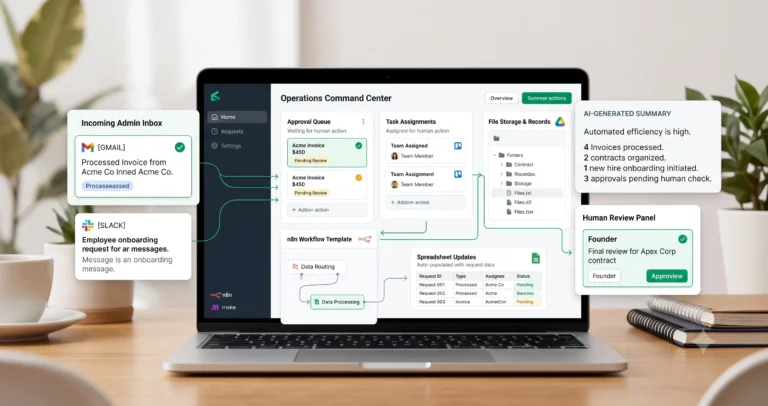
This template gives you the workflow logic for managing content production from planning to publishing. It does not replace editorial judgment. It reduces repetitive operational work around briefs, task assignment, drafting, image preparation, SEO fields, WordPress formatting, and post-publish tracking.
A simple version can take a topic from a spreadsheet, create a content brief, assign a writer or editor, prepare an AI-assisted outline, and create a WordPress draft. A more advanced version can manage images, internal links, SEO metadata, approval gates, and performance tracking after publication.
| Automation job | Example | Why it helps |
|---|---|---|
| Create content brief | Turn a keyword, topic, audience, and notes into a structured brief. | Gives every article a clearer direction before writing starts. |
| Prepare AI draft | Generate an outline, first draft, FAQ ideas, or section-by-section draft. | Speeds up the first writing pass without removing review. |
| Assign review tasks | Create editor, SEO, fact-check, and formatting tasks. | Prevents content from skipping quality checks. |
| Create WordPress draft | Send the approved HTML, title, slug, category, and draft status to WordPress. | Reduces manual copy-paste work. |
| Add approval gate | Require human approval before publishing or scheduling. | Protects quality, accuracy, and brand trust. |
| Track performance | Log publish date, URL, keyword, status, and later performance notes. | Turns publishing into a measurable process. |
Who Should Use It?
This content operations automation template is useful for any small business that publishes content regularly and wants a stronger editorial workflow.
- Small business blogs that publish educational content.
- Affiliate sites that need repeatable article workflows.
- Agencies that manage content for clients.
- SEO teams that need briefs, drafts, reviews, and publishing queues.
- Founders who want to turn content ideas into drafts without losing quality control.
- WordPress site owners who want a structured draft and review process.
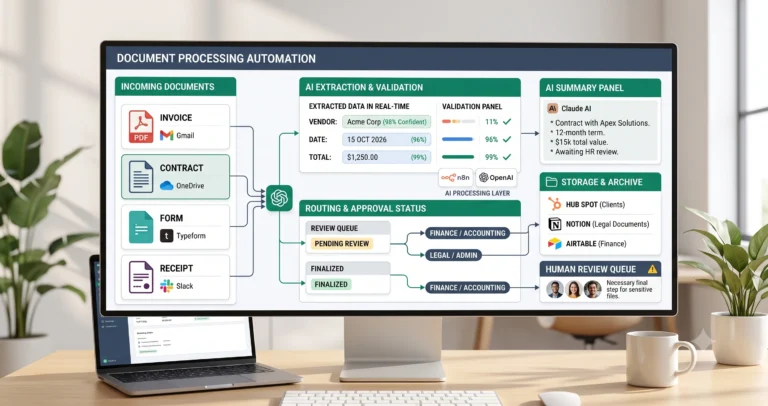
This workflow is especially useful if you already use automation for related operations such as weekly reporting, document processing, or AI agent workflows.
Workflow Overview
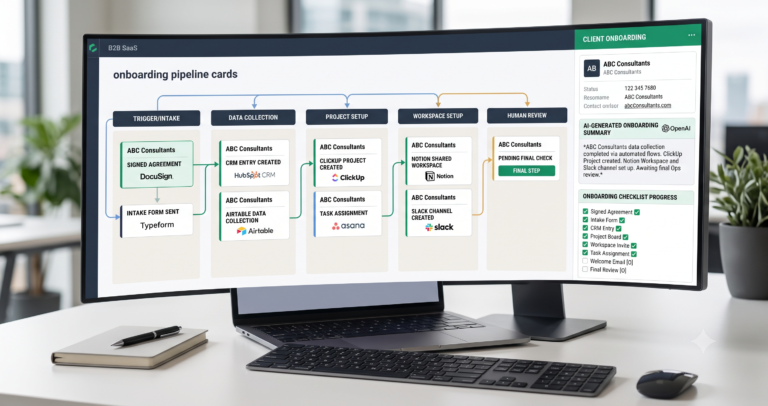
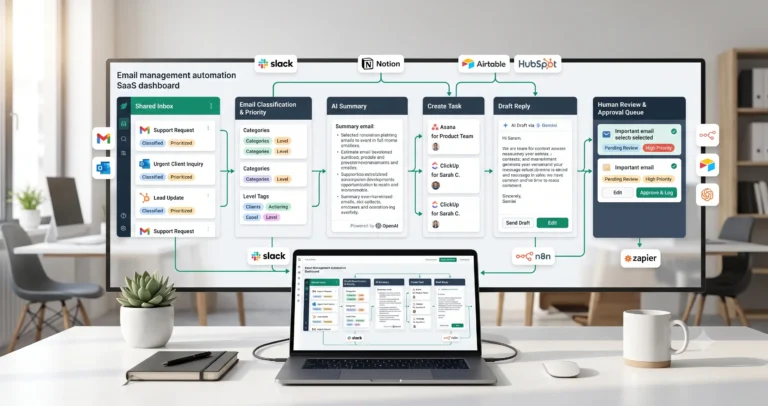
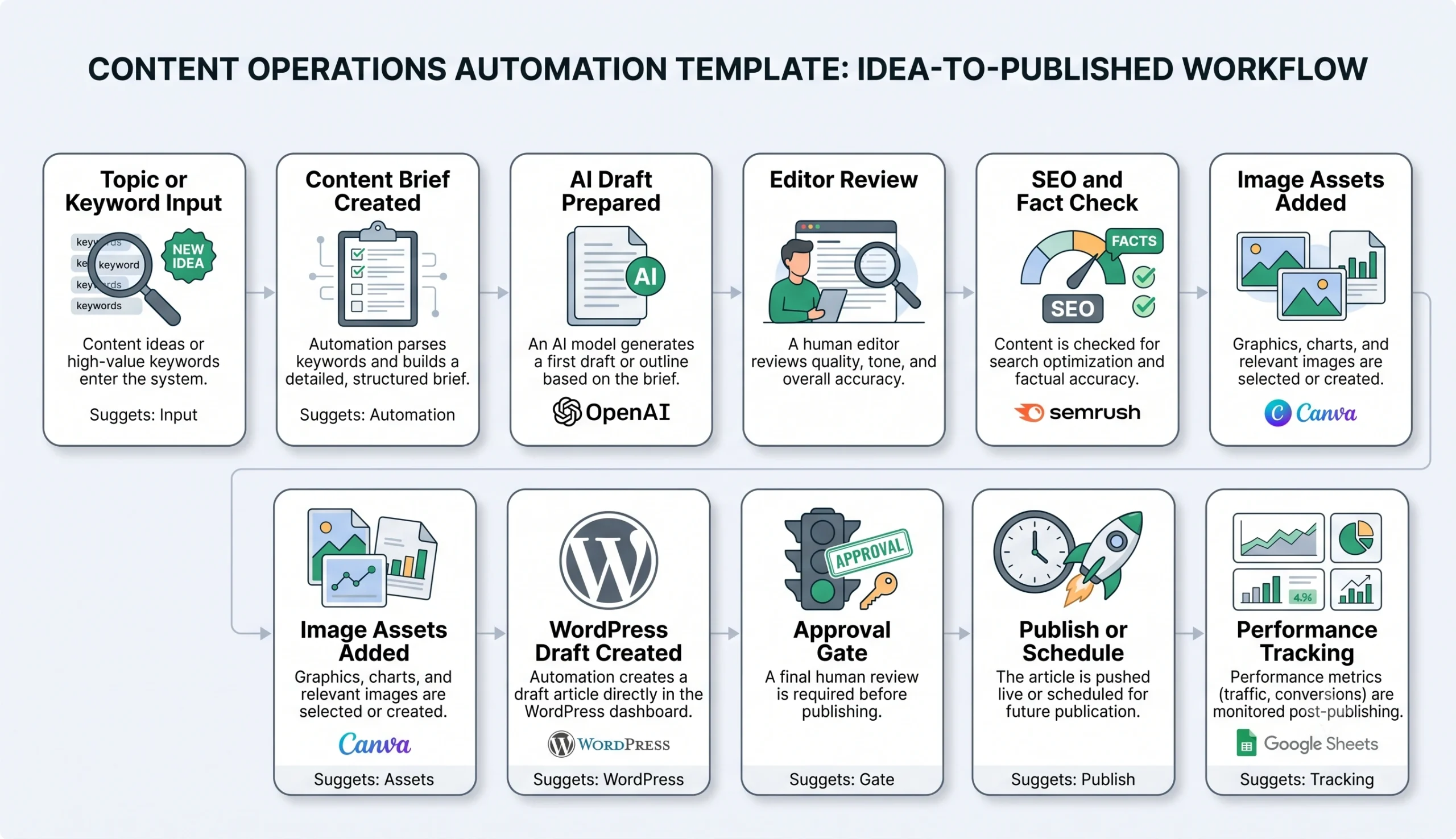
A reliable content operations workflow has ten core parts: topic input, brief creation, AI-assisted draft, editor review, SEO and fact check, image assets, WordPress draft, approval gate, publishing, and performance tracking.
| Workflow step | What happens | Output |
|---|---|---|
| Topic or keyword input | A topic, keyword, audience, article type, or content idea enters the workflow. | Content item is created in the pipeline. |
| Content brief created | The workflow prepares search intent, angle, structure, links, and required notes. | Clear brief for writer or AI assistant. |
| AI draft prepared | AI creates an outline, draft, FAQ, or section draft based on the brief. | First draft or working document. |
| Editor review | A human reviews clarity, usefulness, originality, accuracy, and tone. | Improved article draft. |
| SEO and fact check | The workflow checks metadata, headings, internal links, source quality, and claims. | Article is prepared for search and readers. |
| Image assets added | Featured image, diagrams, screenshots, alt text, and captions are prepared. | Complete visual package. |
| WordPress draft created | The article is added to WordPress as a draft with title, content, slug, category, and media. | Ready-to-review WordPress post. |
| Approval gate | A human checks the final post before publishing or scheduling. | Approved, corrected, or rejected draft. |
| Publish or schedule | The post is published immediately or scheduled for later. | Live article or scheduled content. |
| Performance tracking | The workflow logs URL, date, keyword, indexing status, rankings, or engagement notes. | Content performance record. |
How the Content Operations Automation Workflow Works
The workflow should begin with a structured content input, not a vague writing request. A strong input includes the topic, focus keyword, audience, search intent, article type, internal links, required sources, image needs, and any editorial notes.
Once the content item is created, automation can prepare the brief, assign tasks, generate a controlled AI draft, attach image requirements, create review steps, and eventually push the content into WordPress as a draft. Publishing should remain behind a human approval gate, especially when the article includes recommendations, tool comparisons, pricing references, legal claims, health claims, financial claims, or external sources.
Step 1: Capture the content idea
The idea can come from keyword research, customer questions, competitor gaps, support tickets, sales conversations, or a planned content cluster. Store it in a spreadsheet, Airtable, Notion database, or project board.
Step 2: Create the content brief
The brief should define the article angle, reader problem, search intent, required sections, internal links, image plan, and any source requirements. The brief prevents AI from producing generic content that does not fit the site strategy.
Step 3: Generate a controlled AI draft
AI can help create outlines, first drafts, section expansions, FAQ ideas, and metadata suggestions. The prompt should be specific and based on the brief. OpenAI’s prompt engineering guidance is useful when you need clearer instructions, constraints, examples, and output formats for AI-assisted drafting: OpenAI Prompt Engineering Guide.
Step 4: Assign human review
The editor should review usefulness, structure, tone, originality, accuracy, internal links, external references, and whether the article actually answers the reader’s problem.
Step 5: Run SEO and source checks
The workflow should check the title, meta description, slug, headings, image alt text, internal links, and external sources. Google’s SEO Starter Guide is a useful reference for the basic goal of helping search engines understand your content while keeping the user in mind: Google SEO Starter Guide.
Step 6: Create the WordPress draft
After review, the workflow can create a WordPress draft instead of publishing automatically. This gives the team a final place to check formatting, images, links, schema, categories, and metadata before the post goes live.
Step 7: Approve, publish, and track
Once the final draft is approved, it can be published or scheduled. After publishing, track the URL, target keyword, publish date, internal links added, and later performance notes.
Required Inputs
Content automation becomes much more reliable when every content item has clear inputs before drafting begins.
| Input | Example | Use in workflow |
|---|---|---|
| Topic or keyword | content operations automation template | Defines the main focus of the article. |
| Audience | Small business owners, content managers, agencies, SEO teams. | Controls examples, tone, and depth. |
| Search intent | Template, guide, comparison, tutorial, checklist. | Shapes the structure and CTA. |
| Internal links | Related TakeYourAI articles and workflow templates. | Connects the article to the site cluster. |
| External sources | Google Search Central, WordPress Developer Resources, OpenAI docs. | Supports claims and gives readers useful references. |
| Image plan | Featured image, workflow diagram, review checklist. | Improves clarity and visual usefulness. |
| Editorial rules | No fake testing, no unsupported claims, no automatic publishing. | Protects quality and trust. |
| Publishing destination | WordPress draft, category, slug, tags, featured image. | Controls final CMS output. |
Practical rule: automate the content workflow, not the judgment. AI can help prepare drafts and structure, but humans should still approve accuracy, usefulness, source quality, and publishing readiness.
Content Brief and Editorial Logic
The brief is the most important part of the workflow. Without a strong brief, AI drafting becomes generic. With a strong brief, the automation can produce a much more useful working draft for review.
| Brief element | What to include | Why it matters |
|---|---|---|
| Reader problem | What the reader is trying to solve. | Keeps the article useful, not generic. |
| Article angle | The specific promise or unique approach. | Prevents duplicate content inside the same cluster. |
| Required sections | H2s, tables, examples, checklist, FAQ. | Improves structure before drafting. |
| Internal links | Relevant TakeYourAI articles and templates. | Supports topical authority and user navigation. |
| External references | Official docs, credible guides, primary sources. | Supports accuracy and credibility. |
| Image requirements | Featured image, diagram, checklist, screenshot, or chart. | Makes the article easier to understand. |
| Review rules | Fact check, link check, formatting check, final approval. | Prevents weak drafts from becoming published posts. |
For TakeYourAI, this step matters even more because the site is not a generic AI news site. The content should connect to practical AI automation, workflow templates, tool comparisons, and small business implementation.
AI Content Operations Prompt Template
Use a controlled prompt that turns the brief into a structured draft while keeping quality rules visible. The AI should not invent testing, sources, quotes, pricing, or claims.
Copy-paste prompt structure:
You are helping create a practical small business automation article. Use only the brief, internal links, image URLs, and verified external sources provided. Do not invent testing, statistics, source URLs, pricing, or product claims. Write for readers first, not only for SEO.
Content brief:
Primary keyword: {{primary_keyword}}
Search intent: {{search_intent}}
Target reader: {{target_reader}}
Article type: {{article_type}}
Main angle: {{main_angle}}
Required sections: {{required_sections}}
Internal links: {{internal_links}}
External sources: {{external_sources}}
Image URLs and alt text: {{image_urls}}
Editorial rules: {{editorial_rules}}
Return:
1. WordPress-ready HTML body only
2. No H1 inside the body
3. No fake first-hand testing
4. No unsupported claims
5. Useful tables where helpful
6. Contextual internal and external links
7. Image figures with alt text and captions
8. FAQ section with schema if appropriate
If your automation platform supports structured outputs, you can ask the AI model to return separate fields for title, slug, meta description, HTML body, image placements, internal links, and review warnings.
SEO and Fact-Check Rules
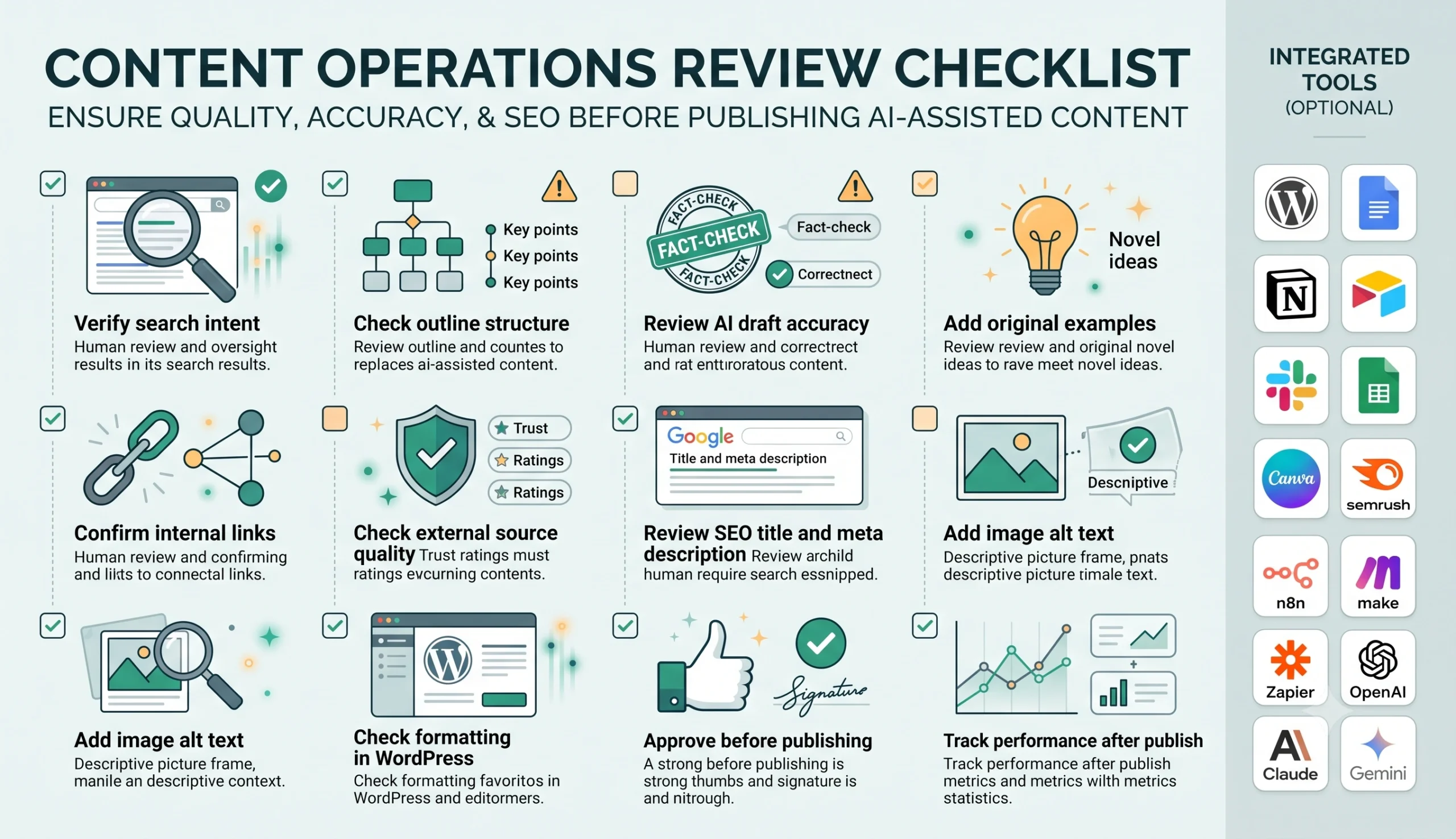
SEO automation should support useful content, not replace editorial responsibility. The workflow should check the basics: title, slug, meta description, heading structure, internal links, image alt text, and whether the article satisfies the reader’s intent.
Google’s guidance on helpful, reliable, people-first content is a useful external standard for this review step: Creating helpful, reliable, people-first content. For AI-assisted content specifically, Google has also explained that its systems focus on content quality and helpfulness rather than whether automation was used: Google Search guidance about AI-generated content.
| Check | What to verify | Recommended action |
|---|---|---|
| Search intent | The article answers the reason someone searched the keyword. | Rewrite weak sections before publishing. |
| Accuracy | Claims, tool details, and external references are correct. | Fact-check before approval. |
| Internal links | Links point to relevant TakeYourAI guides, templates, or comparisons. | Add links naturally, not mechanically. |
| External links | Links go to official docs or credible references. | Prefer primary sources when possible. |
| AI output quality | The article is specific, useful, and not generic. | Add examples, workflow logic, and human edits. |
| WordPress formatting | Tables, images, FAQ, links, and headings display correctly. | Preview on desktop and mobile. |
WordPress Draft Creation
The safest publishing automation creates a WordPress draft instead of publishing directly. This gives the editor time to check formatting, images, links, Rank Math fields, schema, categories, and final quality.
If you automate WordPress draft creation, the WordPress REST API can be used to work with posts. The official WordPress Developer Resources page for posts is a useful reference for developers building this step: WordPress REST API Posts Reference.
| WordPress field | Example | Automation rule |
|---|---|---|
| Title | Content Operations Automation Template for Small Businesses | Use the approved post title. |
| Slug | content-operations-automation-template | Use a clean, readable URL slug. |
| Status | draft | Do not auto-publish before human review. |
| Content | WordPress-ready HTML body. | Use approved HTML with correct classes and image URLs. |
| Category | Automation Templates | Map to the correct WordPress category ID. |
| Featured image | Media ID from WordPress Media Library. | Upload media first, then attach it to the draft. |
| SEO fields | Focus keyword, SEO title, meta description. | Save manually first, then automate later if safe. |
Publishing rule: automate draft creation, not final publication. Final publishing should happen only after editorial, SEO, source, image, and formatting review.
Human Review and Content Quality Rules
Human review is the difference between content automation and low-quality mass publishing. The workflow should make the editor faster, not remove the editor from the process.
Human review is especially important when the content includes tool recommendations, comparisons, claims about search performance, legal or financial topics, screenshots, pricing, external links, or advice that readers may act on.
| Review area | What to check | Recommended rule |
|---|---|---|
| Usefulness | The article gives practical steps, examples, and clear explanations. | Rewrite generic sections. |
| Accuracy | Claims, tool details, links, and references are correct. | Fact-check before approval. |
| Originality | The article adds a useful angle instead of repeating existing content. | Add examples, templates, decision rules, or implementation details. |
| SEO | Title, meta, slug, headings, internal links, and image alt text are aligned. | Optimize without keyword stuffing. |
| Visuals | Images support the content and include useful alt text. | Replace decorative or confusing visuals. |
| WordPress preview | Tables, images, FAQ, links, spacing, and mobile layout display correctly. | Preview before publishing. |
Testing Checklist
Test this content operations automation template with a few draft articles before using it as your main publishing workflow.
| Test case | What to verify |
|---|---|
| Topic input | The workflow creates the correct content record with keyword, audience, and article type. |
| Brief generation | The brief is specific enough for a useful draft. |
| AI draft | The draft follows the brief and does not invent facts, links, or testing claims. |
| Internal links | Links point to relevant TakeYourAI pages and not unrelated content. |
| External links | External references are credible, relevant, and working. |
| Image placement | Images appear in the correct sections with alt text and captions. |
| WordPress draft | The post is created as a draft, not published automatically. |
| Final approval | The workflow does not publish without human review. |
Tools You Can Use
This template is platform-neutral. You can build it with different tools depending on your publishing stack and how much automation you want.
| Tool type | Best use | Example options |
|---|---|---|
| Content database | Stores keywords, status, brief, links, image URLs, and draft URLs. | Google Sheets, Airtable, Notion, or a project database. |
| Project management | Assigns writing, editing, SEO, image, and approval tasks. | Trello, Asana, ClickUp, Notion, Monday.com. |
| AI model | Creates outlines, drafts, FAQs, summaries, and metadata suggestions. | OpenAI, Claude, Gemini, or another writing-capable model. |
| SEO tools | Supports keyword research, content planning, or optimization review. | Google Search Console, Semrush, Ahrefs, Rank Math, internal checklists. |
| Workflow builder | Connects brief creation, AI drafting, task assignment, media upload, and WordPress drafts. | n8n, Make, Zapier, or similar automation platforms. |
| CMS | Stores and publishes final content. | WordPress. |
| Reporting layer | Tracks publish dates, URLs, performance, and content updates. | Google Sheets, Looker Studio, Search Console exports, Notion, Airtable. |
If you are still choosing your automation platform, read Best AI Automation Tools for Small Business. For direct comparisons, review n8n vs Zapier, n8n vs Make for AI automation, and Make vs Zapier.
Common Mistakes
Content operations automation usually fails when teams automate production speed but ignore editorial quality. The safest workflow creates drafts, tasks, and review steps before publishing.
| Mistake | Why it hurts | Better approach |
|---|---|---|
| Publishing AI drafts automatically | Weak or inaccurate content can go live without review. | Create drafts and require human approval. |
| No content brief | The output becomes generic and disconnected from the site strategy. | Use structured briefs before drafting. |
| No source control | The article may include unsupported claims or fake references. | Use verified sources and review all external links. |
| Ignoring internal links | The article becomes isolated from the rest of the site. | Add contextual internal links to related guides and templates. |
| Weak image handling | Images may be decorative, irrelevant, or missing alt text. | Plan images before drafting and review them before publishing. |
| No post-publish tracking | The team publishes but never learns what worked. | Track URLs, keywords, updates, and performance notes. |
Simple Implementation Plan
- Create a content database. Include keyword, intent, title, status, internal links, image URLs, draft URL, and approval status.
- Define workflow statuses. Use statuses such as Idea, Brief Ready, Drafting, Editor Review, SEO Review, WordPress Draft, Approved, Published, and Update Needed.
- Create the brief generator. Turn topic inputs into structured briefs with angle, outline, links, image needs, and source requirements.
- Add AI drafting. Use controlled prompts based on the brief, not vague writing commands.
- Add editorial tasks. Assign review, fact-check, SEO, formatting, and image tasks.
- Add image handling. Store image prompts, uploaded media URLs, alt text, and captions.
- Create WordPress drafts. Push only approved HTML into WordPress as draft status.
- Add approval gate. Require final human approval before publishing or scheduling.
- Track published URLs. Store URL, date, keyword, internal links, and update notes.
- Improve over time. Use performance data to improve briefs, templates, and content priorities.
Final Recommendation
Start with a content operations automation template that creates briefs, prepares AI-assisted drafts, assigns review tasks, manages image assets, and creates WordPress drafts. Do not automate final publishing until your quality review process is reliable.
Once the workflow is stable, connect it to related systems such as AI agent workflows, weekly AI reporting, and document processing automation. This gives your content process better planning, production, review, publishing, and performance tracking.
The best content automation system is not a machine that publishes more content blindly. It is an editorial workflow that helps a small business publish better content more consistently.
FAQ
What is a content operations automation template?
A content operations automation template is a repeatable workflow that helps manage content planning, brief creation, AI-assisted drafting, editorial review, SEO checks, WordPress draft creation, approval, publishing, and performance tracking.
Can AI write content automatically for a small business blog?
AI can help create outlines, drafts, summaries, FAQs, and metadata suggestions, but small businesses should still use human review for accuracy, usefulness, originality, sources, formatting, and final publishing approval.
Should content automation publish directly to WordPress?
The safer approach is to create WordPress drafts, not auto-publish live posts. Final publishing should happen after human review, SEO checks, source checks, image checks, and formatting review.
What tools can I use for content operations automation?
You can use a content database such as Google Sheets, Airtable, or Notion; an AI model such as OpenAI, Claude, or Gemini; a workflow builder such as n8n, Make, or Zapier; and WordPress as the CMS.
What should a content brief include?
A useful content brief should include the keyword, search intent, target reader, article angle, required sections, internal links, external sources, image plan, editorial rules, and publishing destination.
How do I keep AI-assisted content from becoming generic?
Use specific briefs, real examples, clear reader problems, contextual internal links, verified external sources, human editing, and a final review process before publishing.