
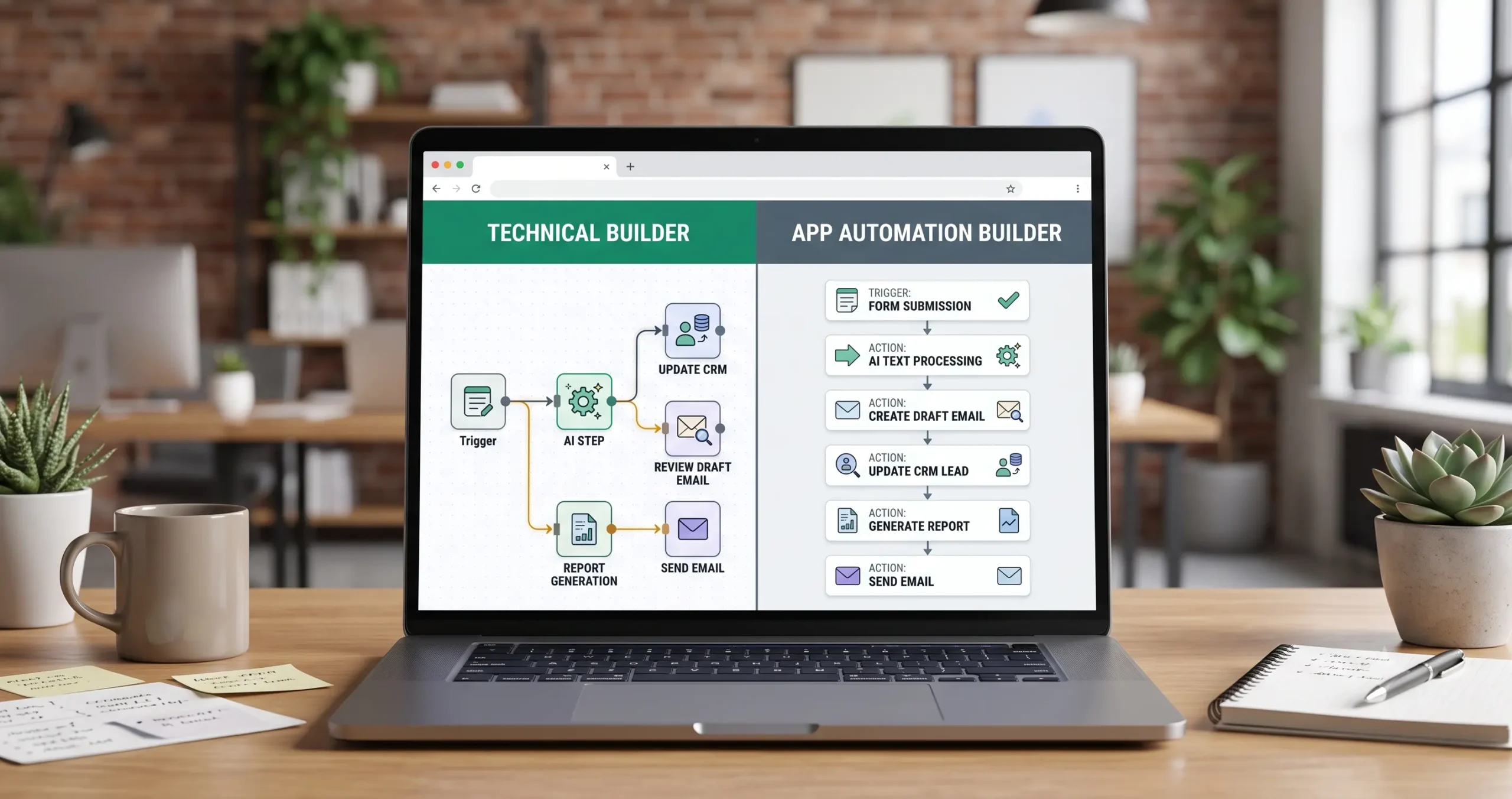
n8n vs Zapier: Which Automation Tool Is Better for AI Workflows?
Choosing between n8n vs Zapier is not only a question of which automation tool has more features. It is a decision about how your business wants to build workflows, connect apps, control data, use AI steps, and scale automation over time.
Zapier is usually easier for beginners and small teams that want fast app-to-app automation. n8n is usually stronger for technical users, advanced workflows, custom logic, self-hosting, and deeper AI automation control.
The better choice depends on your workflow type, team skill level, AI requirements, integration needs, pricing sensitivity, and how much control you want over the system.
If you are new to this topic, start with our AI automation for small business guide. If you need practical use cases before choosing a tool, read 15 AI automation workflow examples for small businesses.
If you are still choosing your wider automation stack, read Best AI Automation Tools for Small Business before committing to a workflow builder. If Make is also on your shortlist, compare n8n vs Make and Make vs Zapier as part of the same decision.
Quick Verdict: n8n vs Zapier
For most small businesses, the decision is simple:
- Choose Zapier if you want fast setup, simple app connections, a beginner-friendly interface, and common business automations without technical overhead.
- Choose n8n if you want more control, advanced workflow logic, custom API work, AI agent-style workflows, and the option to self-host.
Zapier is often the safer starting point for non-technical teams. n8n is often the better long-term choice for technical operators, agencies, developers, and businesses that want more control over automation logic.
A simple form-to-CRM workflow may be easier in Zapier. A complex workflow involving custom APIs, branching logic, database steps, AI model calls, and private infrastructure may fit n8n better.
What Are n8n and Zapier?
What Is Zapier?
Zapier is a workflow automation platform that helps users connect apps and services through automated workflows called Zaps.
A basic Zap usually starts with a trigger, then runs one or more actions. For example, a new form submission can trigger a Zap that creates a CRM contact, sends an email, adds a spreadsheet row, or notifies a team.
You can review Zapier’s official explanation of Zaps here: Zapier key concepts documentation.
Zapier is useful for workflows such as:
- sending form submissions to a CRM,
- creating tasks from emails,
- syncing spreadsheets with business apps,
- sending notifications to Slack or email,
- automating lead follow-up steps,
- connecting common business tools without code.
What Is n8n?
n8n is a workflow automation platform built for users who want deeper control over workflow logic, APIs, data movement, AI steps, and deployment options.
n8n can be used through hosted plans or self-hosted on your own infrastructure. That flexibility can be valuable for technical teams, but self-hosting also adds responsibility for setup, maintenance, security, updates, and monitoring.
You can review n8n’s hosting documentation here: n8n hosting documentation.
n8n is useful for workflows such as:
- advanced API-based automations,
- AI model workflows,
- custom data transformation,
- internal operations systems,
- database-connected workflows,
- self-hosted automation systems,
- technical workflows that need custom logic.
n8n vs Zapier Comparison Matrix
The fastest way to compare n8n vs Zapier is to look at the type of workflow you want to build and the person who will maintain it.
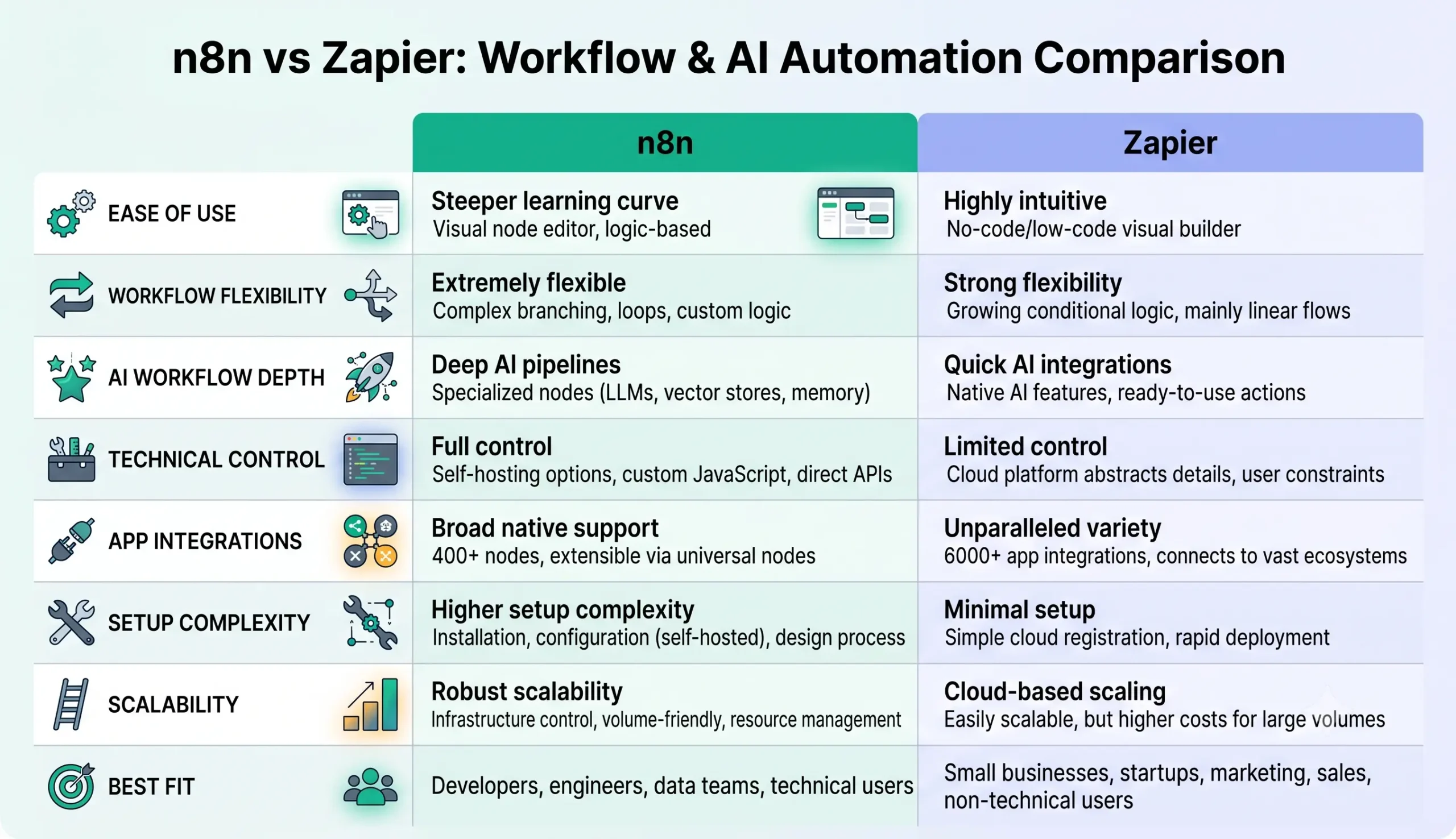
| Category | Zapier | n8n |
|---|---|---|
| Ease of use | Usually easier for beginners and non-technical teams. | More technical, especially for advanced logic and self-hosting. |
| Workflow style | Simple trigger-and-action workflows with app connections. | Node-based workflows with deeper control over logic and data flow. |
| AI automation | Useful for adding AI steps into simple business automations. | Strong for advanced AI workflows, custom logic, and agent-style systems. |
| Technical control | Good for common app automations, but less technical control. | Stronger technical flexibility for custom workflows and API work. |
| Hosting options | Hosted cloud automation platform. | Hosted or self-hosted, depending on your setup preference. |
| Best fit | Small teams that want fast, simple automation without technical setup. | Technical users, agencies, operators, and teams needing advanced control. |
Ease of Use
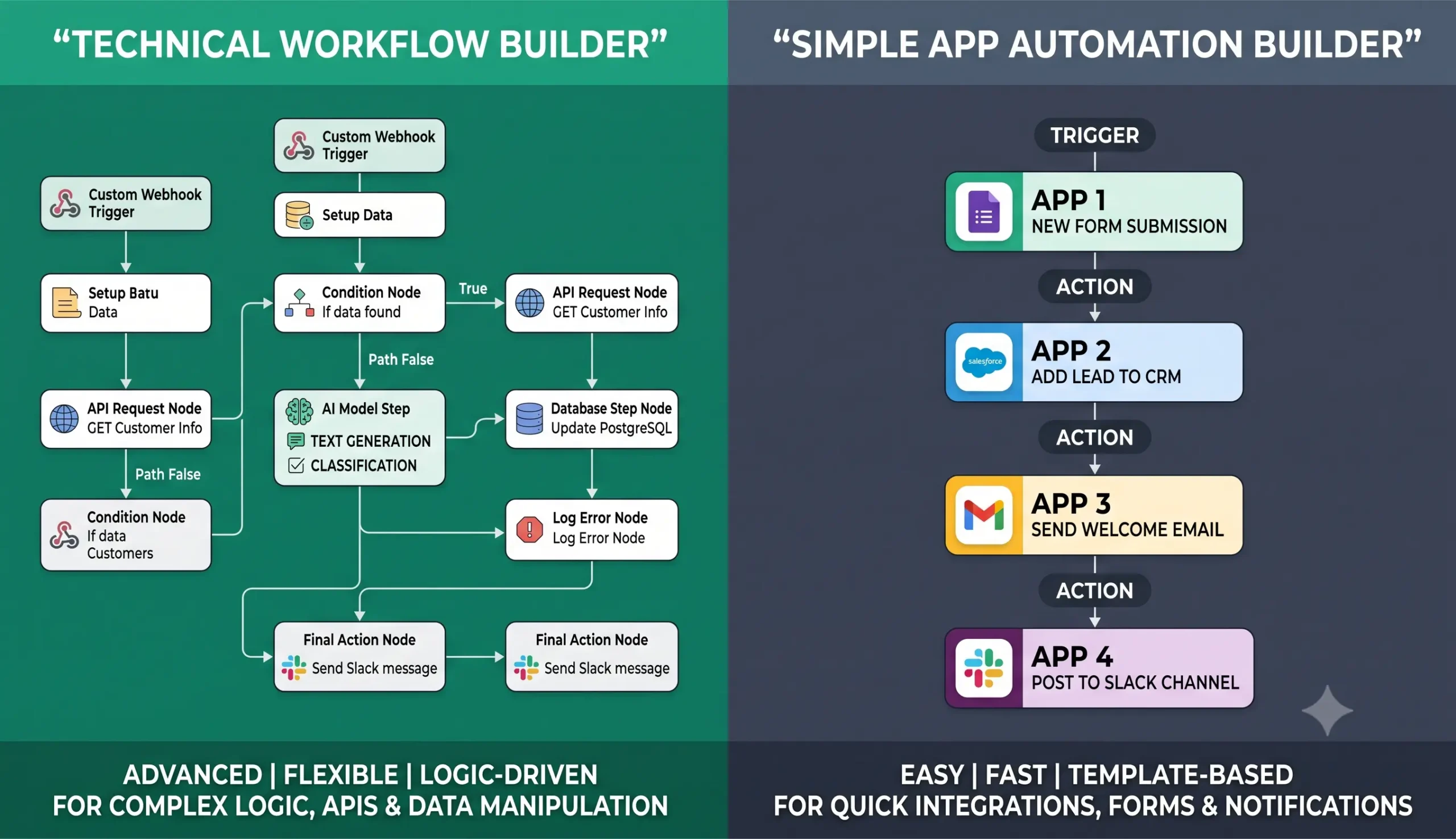
Zapier is usually easier for beginners. Its workflow model is simple: choose a trigger, choose an action, connect your apps, test the Zap, and turn it on.
This makes Zapier useful for small business owners, marketers, assistants, consultants, and operators who want automation without thinking deeply about servers, custom code, API logic, or infrastructure.
n8n can still be visual, but it feels more technical. It is more comfortable for users who understand data structures, API requests, credentials, nodes, branches, transformations, and workflow debugging.
Workflow Flexibility
n8n is often stronger when workflows become complex. It gives technical users more control over branching logic, API calls, custom transformations, retries, database steps, and advanced workflow design.
This matters when your workflow includes:
- multiple conditional paths,
- custom API requests,
- structured data transformations,
- AI model calls,
- database updates,
- human approval logic,
- internal systems,
- self-hosted infrastructure.
Zapier can handle many useful business workflows, but it is usually best when the process is clear and app-based. For example, “when a form is submitted, create a contact and send a notification” is a natural Zapier-style workflow.
AI Automation Capabilities
Both n8n and Zapier can be used for AI automation, but they often fit different types of AI workflows.
Zapier can be useful when you want to add AI into a simple workflow. For example, a Zap can receive a form submission, send the text to an AI step, extract important details, then update a CRM or notify a team.
Zapier also provides AI-related tools such as AI by Zapier, which can analyze and return data inside a Zap. You can review Zapier’s official documentation here: AI by Zapier documentation.
n8n can be especially useful when you want deeper AI workflow logic. It can combine AI steps with traditional workflow logic, API calls, databases, branching, and advanced control.
n8n also has AI workflow documentation and AI agent examples. You can review n8n’s AI workflow tutorial here: n8n AI workflow tutorial.
Common AI automation tasks both tools can support include:
- lead scoring and qualification,
- support ticket classification,
- email and message summarization,
- CRM note extraction,
- document data extraction,
- report generation,
- AI-assisted routing,
- drafting customer-facing messages for human review.
For practical examples of what to automate, see our guide to AI automation workflows for small business.
Integrations and App Ecosystem
Zapier is often chosen because of its large app ecosystem and simple app connections. If your business uses common tools such as forms, CRMs, spreadsheets, email marketing platforms, calendars, project management tools, and support software, Zapier may already support many of them.
This makes Zapier attractive for small businesses that want fast integrations without technical setup.
n8n also supports many integrations, but its strongest advantage is not only the number of apps. It is the control you get when you need custom API calls, data transformations, conditional logic, webhooks, and technical workflow design.
In simple terms:
- Zapier is usually stronger for fast app-to-app automation.
- n8n is usually stronger for customized workflow systems and technical control.
Control, Hosting, and Data Considerations
Control is one of the biggest differences between n8n and Zapier.
Zapier is a hosted automation platform. That is convenient because you do not need to manage servers, updates, deployment, infrastructure, or maintenance.
n8n gives you more deployment choice. You can use hosted n8n or self-host n8n if you have the technical knowledge and infrastructure to manage it properly.
This matters for businesses that care about infrastructure control, internal systems, private workflows, custom security rules, or technical customization.
Pricing Logic and Scaling
Pricing changes over time, so do not choose n8n or Zapier based only on old screenshots or outdated comparison tables. Always check current pricing pages before committing to a platform.
The deeper question is not “Which tool is cheaper today?” The better question is:
How will the cost behave when this workflow runs hundreds or thousands of times per month?
When estimating cost, look at:
- number of workflow runs,
- number of steps per workflow,
- AI model usage,
- data volume,
- premium app connections,
- maintenance time,
- hosting and infrastructure costs if self-hosting.
| Cost Factor | Why It Matters |
|---|---|
| Workflow runs | High-volume workflows can become expensive if each run uses many steps. |
| AI model usage | AI steps may add separate model or token costs depending on provider and setup. |
| Workflow complexity | More steps, paths, and actions can increase cost and maintenance effort. |
| Technical maintenance | Flexible tools may require more time to manage, debug, and document. |
| Hosting | Self-hosted setups may add server, backup, security, and admin costs. |
Zapier may be easier to justify when the workflow is simple and saves time quickly. n8n may become more attractive when you need advanced control, technical customization, or self-hosted infrastructure.
Best Use Cases for Each Tool
When Zapier Is Usually a Better Fit
Zapier may be the better first choice when your business wants fast setup, beginner-friendly automation, and simple app connections.
Zapier is often a good fit for:
- form-to-CRM workflows,
- simple lead notifications,
- email alerts,
- spreadsheet updates,
- calendar and task automations,
- marketing operations workflows,
- non-technical teams that want automation quickly.
When n8n Is Usually a Better Fit
n8n may be the better fit when your workflows need more technical control, advanced logic, self-hosting, API flexibility, or custom AI automation.
n8n is often a good fit for:
- AI agent workflows,
- custom API automations,
- technical operations systems,
- self-hosted automation,
- multi-branch workflow logic,
- database-connected workflows,
- agencies building automations for clients,
- teams that want deeper control over data and infrastructure.
What About Make?
Many people compare n8n vs Zapier vs Make because all three tools can help build automation workflows.
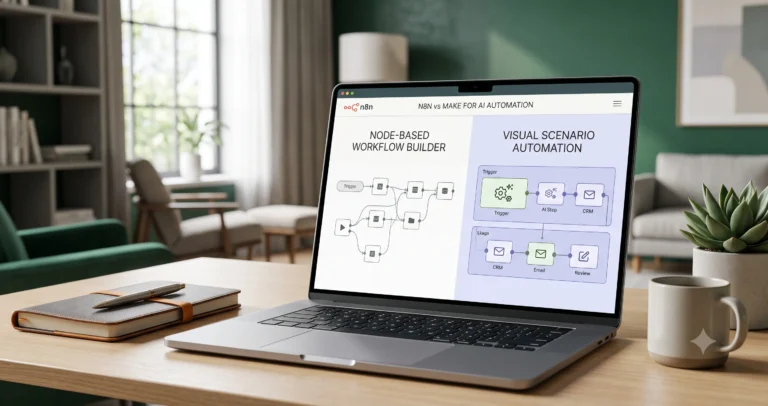
Make often sits between Zapier and n8n in the decision. It is more visual than n8n for many users, but it can feel more flexible than simple trigger-action workflows when you need scenarios, modules, routing, and visual workflow design.
If you are comparing n8n and Make directly, read our n8n vs Make for AI automation comparison. If you are deciding between Make and Zapier, read our Make vs Zapier comparison.
If you are not sure which tool category fits your business yet, start with Best AI Automation Tools for Small Business before choosing between individual workflow builders.
A simple way to think about the three tools:
- Zapier: easiest for simple app-to-app automations.
- Make: strong for visual scenario building and less technical teams.
- n8n: strong for technical control, self-hosting, advanced logic, and custom AI workflows.
Decision Framework for Small Businesses
Use this framework before choosing between n8n and Zapier.
| Question | Choose Zapier If… | Choose n8n If… |
|---|---|---|
| Who will build the workflow? | A non-technical founder, marketer, assistant, or operator. | A technical operator, developer, automation specialist, or agency. |
| How complex is the workflow? | Mostly simple app-to-app automation with clear steps. | Advanced logic, custom APIs, custom data handling, or AI agent workflows. |
| How important is self-hosting? | You do not want to manage infrastructure. | You want the option to self-host and can maintain it responsibly. |
| How fast do you need to start? | You want to build quickly with less technical setup. | You can accept a learning curve for more control. |
| How important is long-term customization? | You mainly need common business automations. | You expect deeper customization and more complex workflow systems. |
Final Recommendation
For most small businesses, Zapier is the easier starting point if the goal is to connect common apps quickly and launch simple automations without technical overhead.
n8n is the stronger choice if you need advanced workflow logic, custom APIs, AI workflow depth, self-hosting, and more control over how data moves through the system.
The best decision is not based on which tool is more popular. It is based on the workflow you want to build.
Before choosing either platform, follow this path:
- Start with the AI automation for small business guide.
- Study 15 practical AI automation workflow examples.
- Read Best AI Automation Tools for Small Business if you need to choose your wider stack first.
- Compare n8n vs Make for AI automation if Make is also on your shortlist.
- Compare Make vs Zapier if you are deciding between visual scenario building and simpler trigger-action automation.
- Explore workflow templates before building your first system.
- Return to tool comparisons when you are ready to choose your stack.
Use Zapier when speed, simplicity, and app connections matter most. Use n8n when control, customization, AI workflow depth, and technical flexibility matter more.
FAQ
Is n8n better than Zapier?
n8n can be better for technical users, custom workflows, AI automation depth, API flexibility, and self-hosting. Zapier can be better for beginners and small teams that want simple app-to-app automation without technical setup.
Is Zapier easier than n8n?
Yes, for many beginners Zapier is easier because its trigger-and-action workflow model is simple to understand. n8n is more flexible, but it usually has a steeper learning curve.
Can n8n and Zapier both be used for AI automation?
Yes. Both tools can be used in AI automation workflows. Zapier is useful for adding AI steps into simple app workflows, while n8n can be stronger for advanced AI logic, custom APIs, self-hosted systems, and AI agent-style workflows.
Which is better for small businesses, n8n or Zapier?
Zapier is often better for small businesses that want fast setup and simple automation. n8n is often better for technical small businesses, agencies, or operators that need advanced control and customization.
Can n8n replace Zapier?
n8n can replace Zapier for some businesses, especially when they need more control or technical flexibility. However, switching requires rebuilding workflows, reconnecting apps, testing logic, and documenting the new system.
Can Zapier replace n8n?
Zapier can replace n8n for simple app-to-app workflows, especially when ease of use matters more than advanced control. It may not be the best replacement for highly technical workflows, self-hosted systems, or custom API-heavy automations.
Should I choose n8n, Zapier, or Make?
Choose Zapier for simplicity, Make for visual scenario building, and n8n for deeper technical control. The right choice depends on your workflow complexity, team skill level, AI needs, integrations, budget, and maintenance capacity. For a broader stack overview, read Best AI Automation Tools for Small Business. If Make is part of your shortlist, also compare n8n vs Make and Make vs Zapier.
Is n8n good for AI agents?
n8n can be a strong option for AI agent-style workflows because it supports advanced workflow logic, AI steps, tool connections, API calls, and custom data handling. However, agent workflows require careful testing, permissions, and human review.
Is Zapier good for AI workflows?
Zapier can be useful for AI workflows that connect common business apps and add AI steps for summarization, classification, extraction, drafting, or routing. It is especially useful when the workflow is simple and the team wants fast setup.
Should I choose the tool before designing the workflow?
No. It is better to define the workflow first: trigger, input data, AI step, rules, action, human review, and measurement. Then choose the tool that fits the workflow.


One Comment
Comments are closed.