AI Lead Qualification Workflow Template for Small Businesses
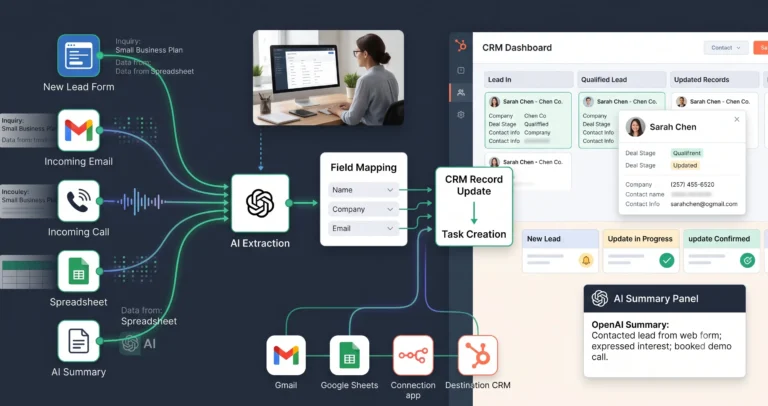
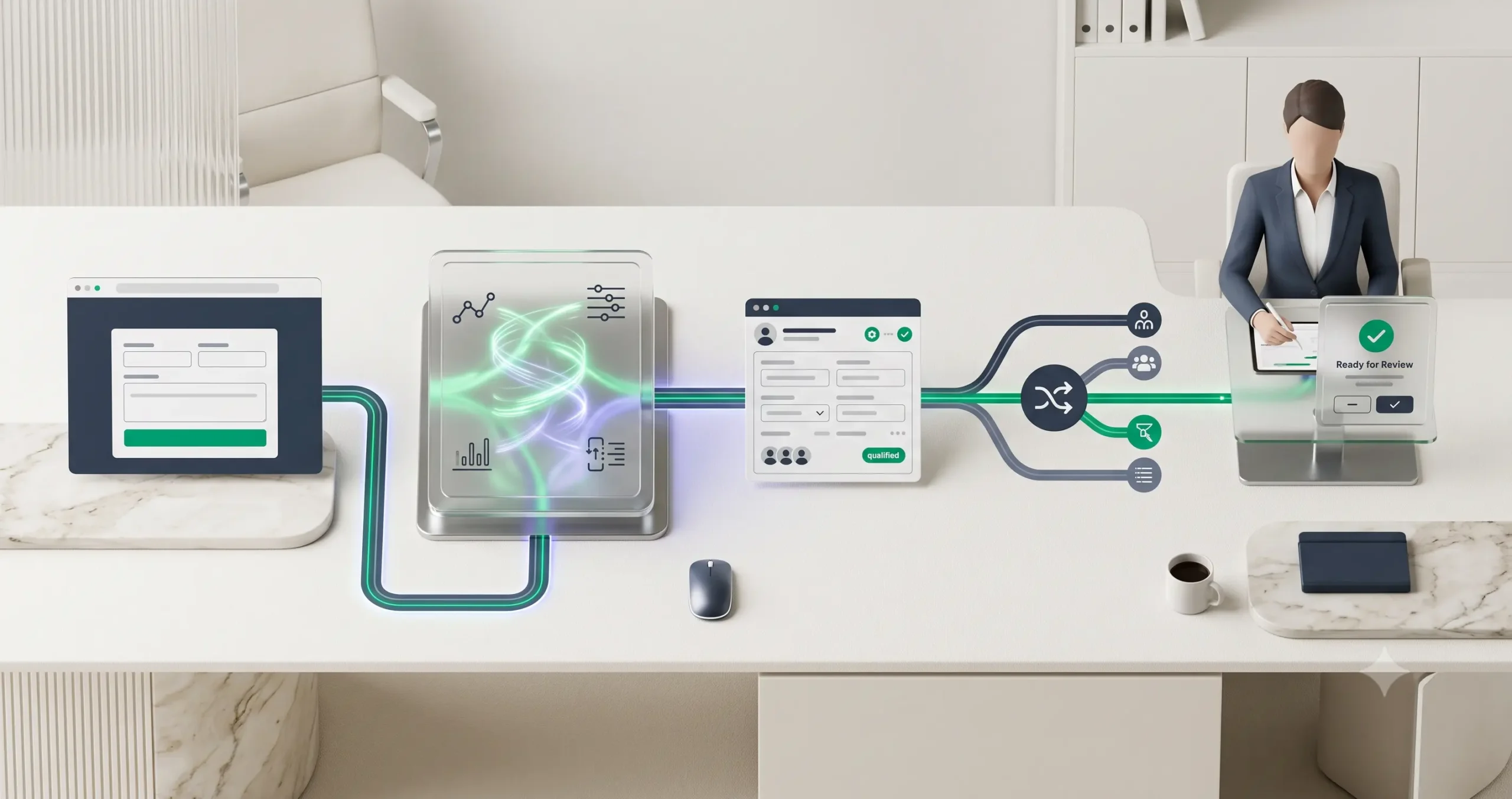
This AI lead qualification workflow template helps a small business turn raw form submissions, inbound emails, or demo requests into a structured sales handoff. Instead of asking a sales rep to manually read every new lead, the workflow uses AI to summarize intent, classify the request, estimate fit, update the CRM, and route the opportunity for human review.
The goal is not to let AI decide who deserves a sales conversation on its own. The goal is to prepare cleaner information faster, so a person can make a better decision with less manual sorting. If you are still learning the basics, start with our AI automation for small business guide before adapting this template.
What This AI Lead Qualification Workflow Template Does
This template gives you the logic for a simple but useful AI-assisted lead qualification system. It receives a new lead, extracts the important details, asks AI to classify the lead, updates a CRM or spreadsheet, and alerts the right person when the lead looks worth reviewing.
You can adapt the same logic for contact forms, demo requests, consultation forms, newsletter inquiries, inbound sales emails, agency discovery forms, or simple “request a quote” pages.
Important: This is a workflow template, not a finished plug-and-play automation file. You can implement the logic in n8n, Make, Zapier, Airtable, Google Sheets, HubSpot, Pipedrive, Notion, or another stack depending on your business setup.
Who Should Use This Template?
This workflow is best for small businesses that receive more leads than they can comfortably review manually, but are not ready for a complex sales operations system.
| Good fit | Not a good fit yet |
|---|---|
| Agencies receiving client inquiry forms | Businesses with only one or two leads per month |
| Consultants screening discovery calls | Teams without a clear definition of a qualified lead |
| SaaS teams routing demo requests | Businesses where every lead must be reviewed manually for legal or compliance reasons |
| Local service businesses filtering quote requests | Companies that do not yet collect enough lead data |
| Small sales teams using spreadsheets or a CRM | Teams expecting AI to replace sales judgment completely |
If you want more examples of where workflows like this fit, review our guide to practical AI automation workflows for small businesses.
Workflow Overview
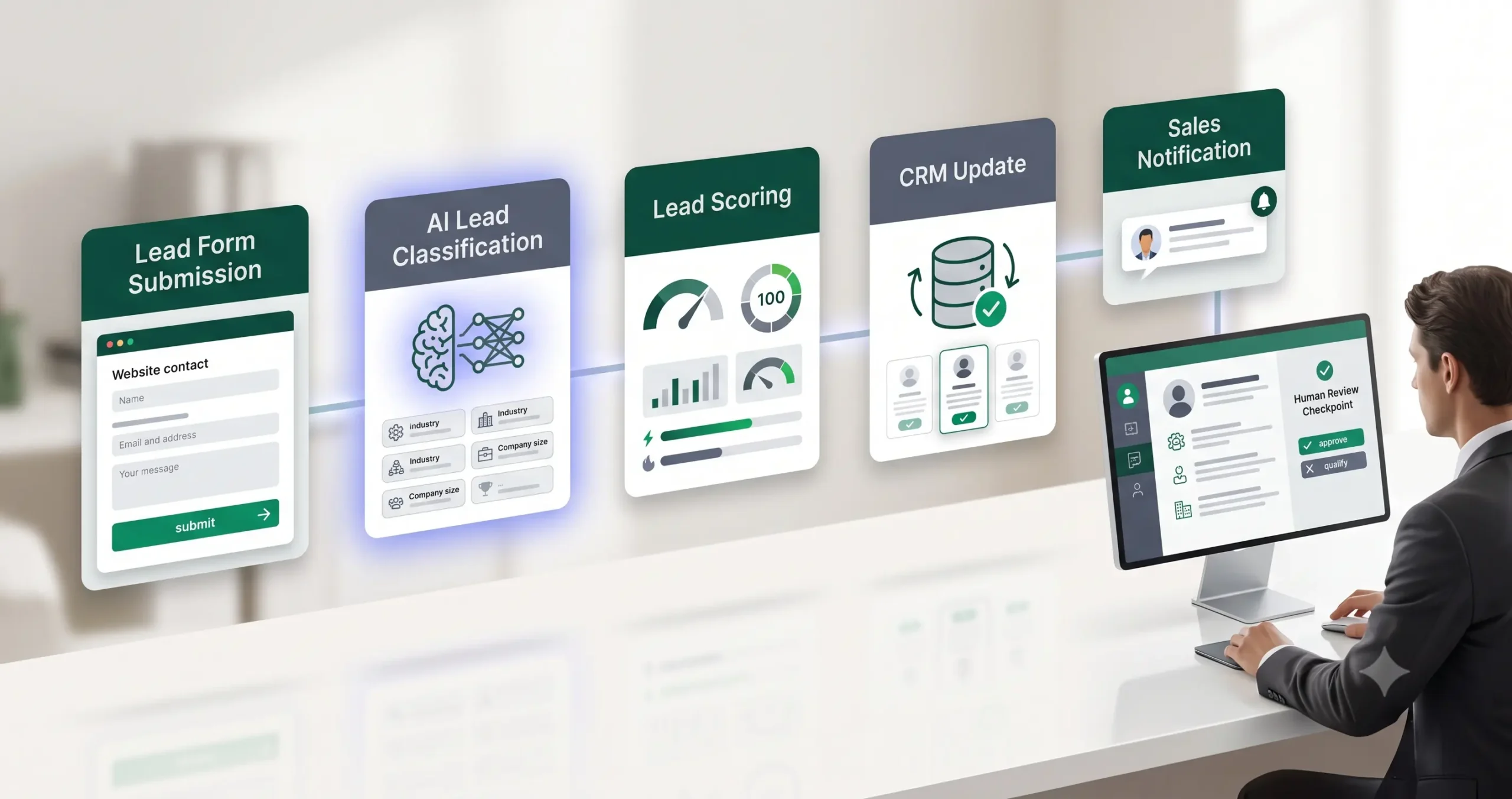
The workflow has seven basic parts: trigger, input capture, AI classification, score assignment, CRM update, routing, and human review. You can make it simple at first and improve it later.
| Workflow step | What happens | Output |
|---|---|---|
| Trigger | A new lead arrives through a form, email, CRM entry, or spreadsheet row. | New lead data is captured. |
| Clean input | The workflow standardizes name, email, company, request type, budget, urgency, and message. | Cleaner lead record. |
| AI classification | AI summarizes the request and classifies fit, intent, urgency, and next action. | Lead summary and category. |
| Scoring | The workflow assigns a simple score based on rules you define. | Hot, warm, cold, or disqualified. |
| CRM update | The qualified fields are added to your CRM or tracking sheet. | Updated lead record. |
| Routing | The lead is sent to the right sales rep, inbox, Slack channel, or task list. | Review notification. |
| Human review | A person checks the AI output before taking sales action. | Approved next step. |
How the AI Lead Qualification Workflow Works
The workflow should not start with AI. It should start with clean business rules. Before asking an AI model to classify anything, define what a good lead means for your business.
For example, an agency might care about project type, budget, timeline, company size, and whether the person has decision-making authority. A local service business might care about location, urgency, service category, and whether the request is realistic. A SaaS company might care about company size, use case, integration needs, and trial readiness.
Step 1: Capture the lead
The trigger can be a form submission, a new CRM contact, a new email, or a new row in a spreadsheet. For the first version, a form is usually easiest because the fields are structured.
Step 2: Normalize the data
Before AI sees the lead, clean the inputs. Make sure the workflow passes a predictable set of fields to the model. Avoid sending random messy data when you can send a structured lead profile.
Step 3: Ask AI to classify the lead
The AI step should produce a controlled output, not a long creative response. Ask for a short summary, fit category, urgency, intent, missing information, and recommended next action.
Step 4: Apply routing rules
Do not rely only on the AI response. Combine AI classification with deterministic rules. For example, if the lead is outside your service area, route it to “not a fit.” If the budget is below your minimum, route it to a nurture sequence or manual review.
Step 5: Update the CRM and notify a human
The workflow should update the lead record, then alert a person with a concise summary. The sales rep should not need to read a long form submission to understand the opportunity.
Required Inputs
A weak lead form creates weak automation. If you only collect name and email, AI has very little context. Start with enough information to classify the lead without making the form too difficult to complete.
| Input field | Why it matters | Example |
|---|---|---|
| Name and email | Basic contact information for the CRM record. | Jane Smith, jane@example.com |
| Company or website | Helps identify business context and possible fit. | Small ecommerce brand, local agency, SaaS startup |
| Request type | Helps route the lead to the right category. | Automation setup, consulting, support, pricing question |
| Budget range | Helps filter leads that cannot afford the service. | Under $500, $500–$2,000, $2,000+ |
| Timeline | Helps identify urgency. | This week, this month, later this quarter |
| Message | Gives AI enough context to summarize intent. | “We need help automating lead routing from our website form.” |
| Consent or preference | Useful for communication and compliance boundaries. | Preferred contact method, newsletter opt-in, callback request |
Practical rule: do not collect sensitive data unless you truly need it. The more sensitive the data, the more careful you need to be with storage, access, and automation.
AI Lead Qualification Prompt Template
Use a controlled prompt. The model should return structured fields that your automation can parse and send into a CRM, spreadsheet, or notification.
Copy-paste prompt structure:
You are helping qualify a new inbound lead for a small business. Analyze the lead data and return a concise, structured qualification summary. Do not invent missing facts. If information is missing, mark it as unknown.
Lead data:
Name: {{name}}
Email: {{email}}
Company: {{company}}
Website: {{website}}
Request type: {{request_type}}
Budget range: {{budget}}
Timeline: {{timeline}}
Message: {{message}}
Business qualification rules:
Ideal customer: {{ideal_customer_profile}}
Minimum budget: {{minimum_budget}}
Supported services: {{supported_services}}
Unsupported requests: {{unsupported_requests}}
Priority signals: {{priority_signals}}
Return:
1. One-sentence lead summary
2. Lead category: hot / warm / cold / not a fit / needs review
3. Urgency: high / medium / low / unknown
4. Intent: buying / researching / support / partnership / unclear
5. Fit reason
6. Missing information
7. Recommended next action
8. Human review note
If your automation tool supports structured JSON output, ask the model to return JSON. This makes routing and CRM updates easier. If you are using a simpler no-code tool, plain structured text may be enough for the first version.
Lead Scoring and Routing Logic
Lead scoring does not need to be complicated. Start with a simple model that your team understands. A basic score is better than an impressive but confusing system that nobody trusts.
| Signal | Example rule | Suggested action |
|---|---|---|
| High budget | Budget is at or above your preferred project range. | Route to sales review quickly. |
| Urgent timeline | Lead wants help this week or this month. | Mark as high priority if fit is also strong. |
| Clear problem | Message includes a specific workflow, tool, or business need. | Summarize and assign to the right person. |
| Weak fit | Budget, location, service type, or request does not match your offer. | Send to nurture, manual review, or polite decline. |
| Missing data | Important fields are empty or unclear. | Ask for more information before scoring. |
Simple category model
- Hot: strong fit, clear problem, realistic budget, near-term timeline.
- Warm: good fit but missing budget, timeline, or decision context.
- Cold: possible future fit but not urgent or not ready.
- Not a fit: outside your offer, budget, region, or service model.
- Needs review: unclear, sensitive, unusual, or risky request.
Recommended CRM Fields
Your CRM record should not only contain the original form fields. It should also contain the AI-generated fields that help the team act faster.
| CRM field | Type | Purpose |
|---|---|---|
| AI lead summary | Text | Gives the sales rep a quick understanding of the request. |
| Lead category | Dropdown | Hot, warm, cold, not a fit, or needs review. |
| Urgency | Dropdown | High, medium, low, or unknown. |
| Intent | Dropdown | Buying, researching, support, partnership, or unclear. |
| Fit reason | Text | Explains why AI classified the lead that way. |
| Missing information | Text | Shows what the team should ask next. |
| Human review status | Dropdown | Pending, approved, rejected, or needs follow-up. |
If you have not chosen your automation stack yet, use our guide to choosing the best AI automation tools for small business. If your shortlist is platform-specific, compare n8n vs Zapier, n8n vs Make, and Make vs Zapier.
Human Review Checkpoint
The most important part of this template is the human review checkpoint. AI can summarize and classify, but it can misread context, overrate a weak lead, underrate a valuable unusual lead, or miss a sensitive issue.
Keep human review before any high-impact action, such as sending a personalized sales email, rejecting a lead, assigning a high-priority opportunity, or updating a deal stage that affects reporting.
Recommended rule: AI can prepare the lead record and suggest a next action, but a person should approve the first response or final routing decision until the workflow has been tested with enough real examples.
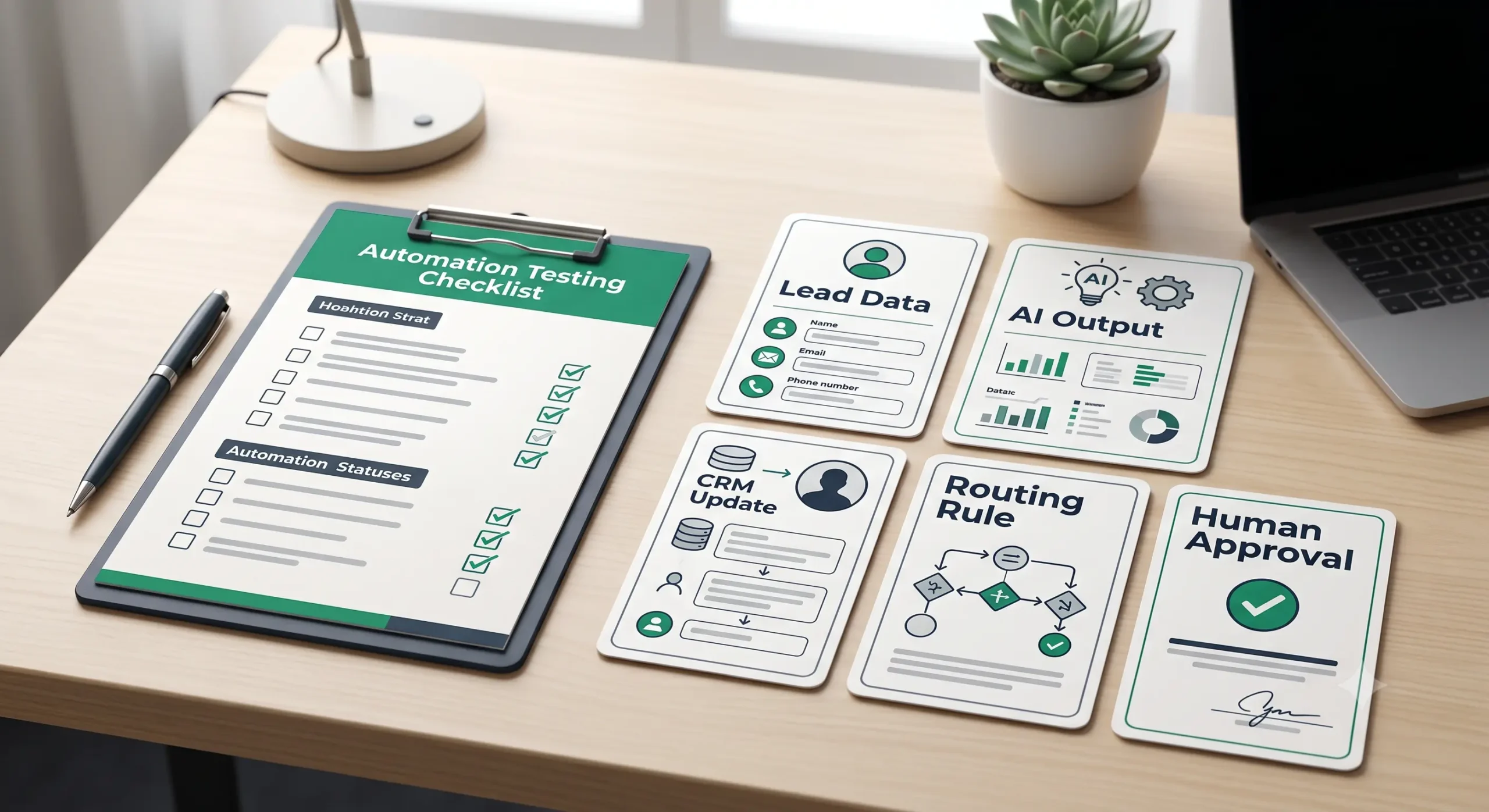
Testing Checklist Before Using the Workflow
Test the workflow before production. Do not test only with perfect examples. Use strong leads, weak leads, vague leads, spam, missing data, unrealistic budgets, urgent requests, and unusual cases.
| Test case | What to verify |
|---|---|
| Strong qualified lead | AI identifies fit, urgency, and next action correctly. |
| Low-budget lead | Workflow does not route it as high priority unless other rules justify review. |
| Missing budget | AI marks missing information instead of guessing. |
| Unclear message | Workflow routes to needs review rather than making a confident wrong decision. |
| Spam or irrelevant request | Workflow does not create noisy CRM tasks for obvious junk. |
| Sensitive request | Workflow escalates to a human before any response or classification is used. |
| Duplicate lead | System checks whether the contact already exists before creating a new record. |
Tools You Can Use to Build This Workflow
The template is platform-neutral. Choose the tool based on your current stack and technical comfort.
| Tool type | Best use | Example setup |
|---|---|---|
| Form tool | Capturing structured lead information. | Website form, Typeform-style form, WordPress form, landing page form. |
| Automation platform | Moving data between form, AI, CRM, and notifications. | n8n, Make, Zapier, or similar workflow builder. |
| AI model | Summarizing and classifying lead context. | Text model connected through your automation platform. |
| CRM or database | Storing the lead record and qualification fields. | HubSpot, Pipedrive, Airtable, Notion, Google Sheets, or another CRM. |
| Notification tool | Alerting a person for review. | Email, Slack, task manager, CRM task, or internal dashboard. |
For a broader view of use cases, read our AI automation guides. For more implementation assets, keep an eye on the TakeYourAI workflow templates library.
Common Failure Modes
A lead qualification workflow can create problems if it is too confident, too vague, or too automated too early. Watch for these failure modes before expanding the workflow.
| Failure mode | Why it happens | Safeguard |
|---|---|---|
| AI guesses missing information | The prompt does not tell the model to mark unknown fields. | Force “unknown” when data is missing. |
| Every lead becomes “warm” | The scoring rules are too soft. | Define clear disqualification and high-priority rules. |
| CRM becomes messy | The workflow creates duplicate records or inconsistent fields. | Add duplicate checks and controlled dropdown values. |
| Sales team ignores the output | The summary is too long, vague, or unreliable. | Keep summaries short and show the reason behind the score. |
| Bad leads get automated responses | The workflow sends messages before human review. | Keep first outreach manual until the workflow proves reliable. |
When Not to Automate Lead Qualification Fully
Do not fully automate lead qualification when the lead data is highly sensitive, the sales process is complex, the offer is expensive and consultative, or the cost of a wrong classification is high.
In those cases, use AI only as a preparation layer. Let it summarize, classify, and suggest questions, but keep the final decision with a person.
Simple Implementation Plan
- Define your ideal lead. Write down your best-fit customer, minimum budget, service area, offer type, and disqualification rules.
- Improve your lead form. Add only the fields needed to classify the lead accurately.
- Create the AI classification prompt. Use the prompt structure above and adapt it to your business rules.
- Connect your automation tool. Send new form submissions to the AI step, then to your CRM or spreadsheet.
- Add routing rules. Route hot leads, warm leads, low-fit leads, and unclear leads differently.
- Add human review. Make a person approve the next action before sending messages or changing important deal stages.
- Test with real examples. Run at least 20–30 past or sample leads through the workflow before trusting it.
- Improve the prompt and rules. Adjust categories, scoring, and routing based on errors.
Final Recommendation
Start with a simple AI lead qualification workflow template before trying to automate your entire sales process. The first version should classify the lead, summarize the request, update the CRM, and notify a human. Do not let it reject leads or send final sales messages until you have tested the workflow carefully.
If you are still deciding what to automate first, use the AI automation workflow examples guide to compare other practical use cases. If lead qualification is already a clear bottleneck, this template is a strong first workflow to build.
FAQ
What is an AI lead qualification workflow?
An AI lead qualification workflow uses automation and AI to summarize, classify, score, and route new leads before a human reviews the next action.
Should AI decide which leads are qualified?
AI can suggest a qualification category, but a human should review important decisions, especially when rejecting leads, prioritizing high-value opportunities, or sending sales messages.
What tools do I need for this template?
You need a lead source, an automation platform, an AI model, a CRM or spreadsheet, and a notification method. The exact tools depend on your current stack.
Can I build this with Zapier, Make, or n8n?
Yes. The workflow logic can be adapted to Zapier, Make, n8n, or similar platforms. Choose based on your need for simplicity, visual control, technical flexibility, and long-term maintainability.
What should the AI output include?
The AI output should include a short summary, fit category, urgency, intent, fit reason, missing information, recommended next action, and a human review note.
How do I avoid bad AI lead scoring?
Use clear business rules, controlled categories, duplicate checks, human review, and real test cases before relying on the workflow in production.