Automated Branding: What It Means, How It Works, and When to Use It
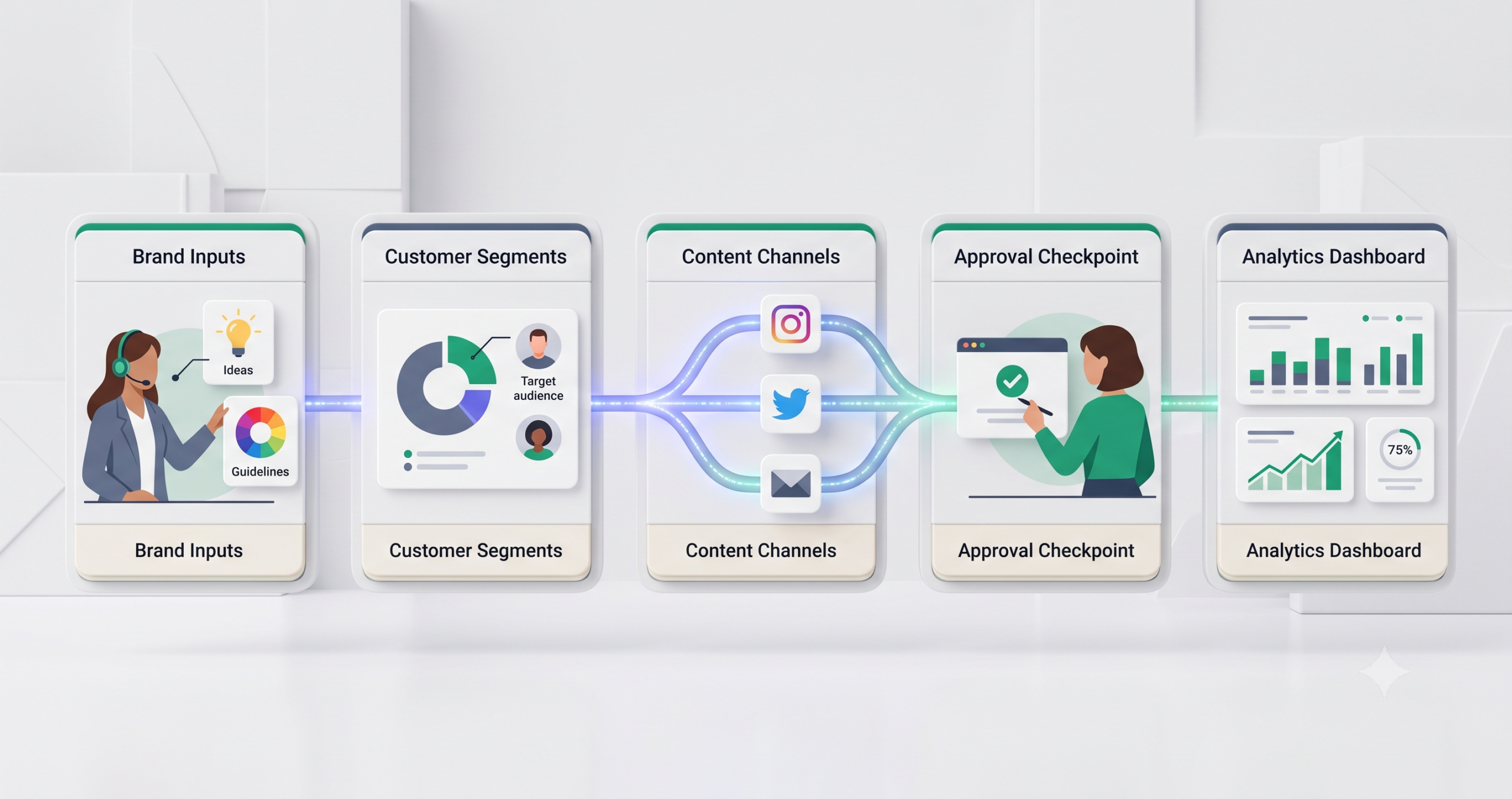
Automated branding is the process of using templates, brand rules, marketing automation, AI-assisted content workflows, and approval steps to keep a business visually and verbally consistent across channels. It is not the same as letting software “create a brand” for you. The useful version is more practical: your brand assets, tone, campaigns, emails, social posts, landing pages, and customer touchpoints follow the same rules without forcing your team to rebuild everything manually each time.
For a small business, the problem is usually not a lack of ideas. It is inconsistency. One email uses a slightly different voice. A social post uses the wrong colors. A sales deck looks disconnected from the website. A follow-up campaign goes out with old messaging. Over time, those small gaps make the brand feel less reliable.
Automated branding helps by turning brand decisions into repeatable workflows. The goal is not to remove human judgment. The goal is to make the right brand choices easier, faster, and safer to repeat.
What Is Automated Branding?
Automated branding means using systems to apply brand rules consistently across marketing and customer communication. Those rules may include logo usage, color palettes, typography, image style, tone of voice, message structure, campaign templates, approval steps, and publishing workflows.
The word “automated” can be misleading if it sounds like the brand runs itself. In practice, the strongest approach is controlled automation. Humans define the brand, review important outputs, and update the rules. Automation helps apply those rules repeatedly across campaigns, assets, and customer journeys.
A simple example is a small business that creates weekly social posts, email newsletters, lead magnets, and sales follow-up messages. Without a system, each asset may be created from scratch. With automated branding, the team can start from approved templates, reuse brand assets, apply consistent messaging, route drafts for approval, and publish through a structured workflow.
This is especially useful when a business is producing content across several channels. The more channels you use, the easier it becomes for brand consistency to break. Automated branding gives the team a repeatable process instead of relying on memory.
How Automated Branding Works
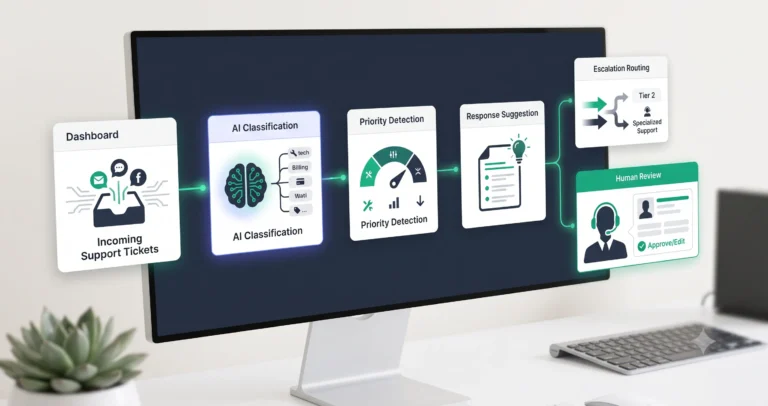
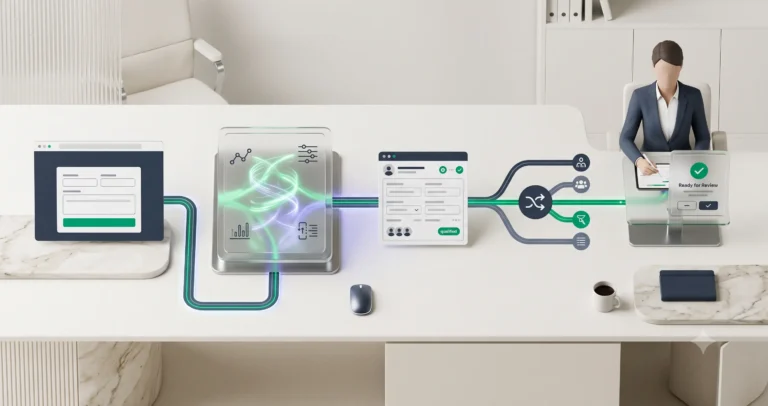
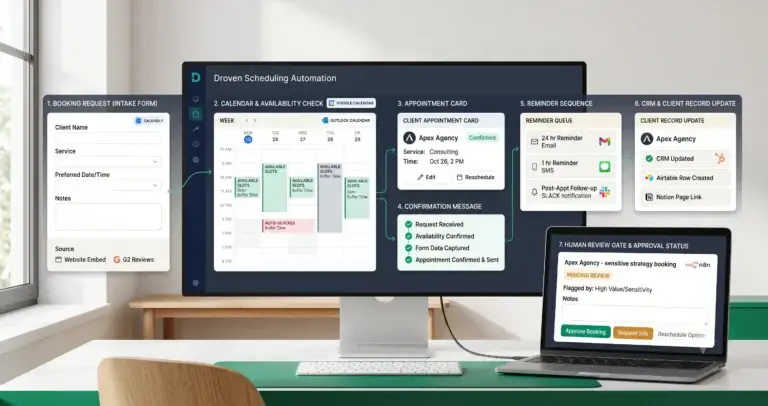
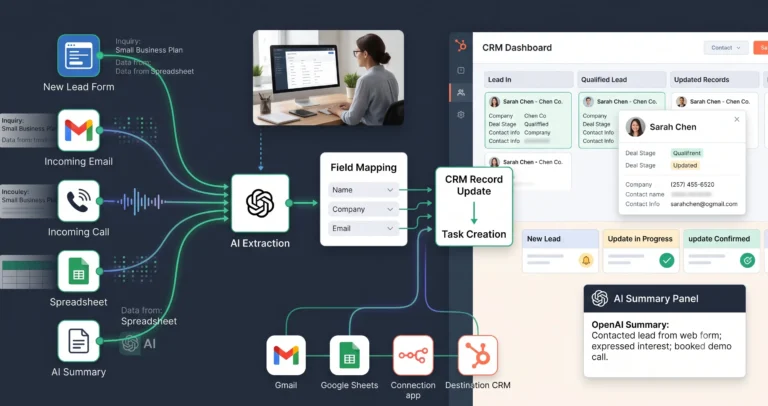
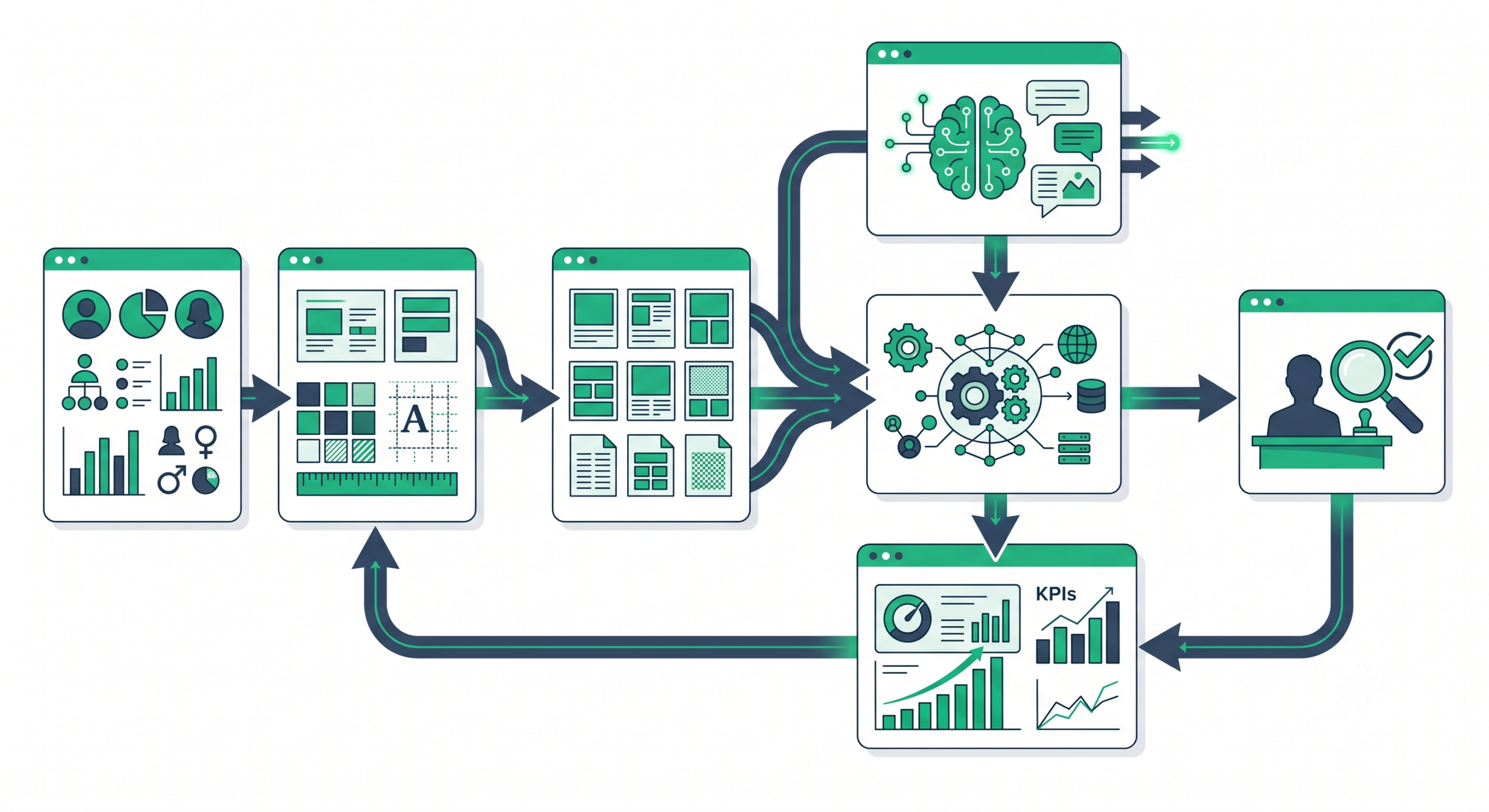
An automated branding system usually works by connecting brand inputs, workflow rules, content tools, automation platforms, and review points. The system does not need to be complex at the beginning. A basic version can start with approved templates and a content approval checklist. A more advanced version may connect your CRM, email platform, design system, AI writing assistant, social scheduler, and analytics tools.
The workflow often follows this pattern:
- Brand inputs: The team defines the brand voice, colors, fonts, logo rules, content themes, audience segments, and messaging rules.
- Template layer: Reusable templates are created for emails, social posts, landing pages, sales documents, ads, and newsletters.
- Automation trigger: A campaign, customer action, content calendar event, or CRM stage starts the workflow.
- AI or content assistance: AI may help draft copy, summarize campaign ideas, adapt messages by audience, or create variations.
- Brand consistency check: The output is checked against tone, claims, visual style, and approved messaging.
- Human approval: A person reviews public-facing content before it is published or sent.
- Publishing or delivery: The asset is scheduled, sent, or assigned to the right channel.
- Performance review: The team reviews engagement, conversions, errors, and feedback to improve the next cycle.
This structure matters because branding is not only a design problem. It is also an operations problem. If the process is unclear, the brand becomes inconsistent even when the logo and colors are correct.
Automated Branding vs Marketing Automation
Automated branding and marketing automation overlap, but they are not identical. Marketing automation usually focuses on automating repetitive marketing tasks such as email campaigns, lead nurturing, social posting, and follow-ups. HubSpot describes marketing automation as software that automates repetitive marketing tasks, including email campaigns, social posting, and lead nurturing through its marketing automation overview.
Automated branding is more specific. It asks whether those automated campaigns still look, sound, and behave like your brand. A marketing automation platform can send the email. An automated branding system helps make sure the email uses the right message, tone, offer, visuals, approval process, and follow-up logic.
| Area | Marketing Automation | Automated Branding |
|---|---|---|
| Main goal | Automate marketing actions and customer journeys | Keep brand identity consistent across automated actions |
| Typical focus | Email sequences, lead nurturing, forms, CRM actions, scheduling | Brand voice, visual rules, templates, approval, message consistency |
| Risk if ignored | Manual marketing work stays slow and inconsistent | Automated campaigns may feel off-brand or disconnected |
| Best use | Sending the right message at the right time | Making sure the message still matches the brand |
A useful small business setup usually needs both. Marketing automation handles timing and delivery. Automated branding handles consistency and control.
Core Components of an Automated Branding System
An automated branding system does not start with software. It starts with brand rules that are clear enough to be reused. If the brand direction is vague, automation will only repeat that vagueness faster.
| Component | What It Controls | Why It Matters |
|---|---|---|
| Brand guidelines | Voice, positioning, visual identity, messaging rules | Gives the workflow a standard to follow |
| Brand assets | Logos, colors, fonts, images, icons, design elements | Reduces inconsistent visuals across channels |
| Templates | Email layouts, social graphics, landing pages, sales decks | Saves time and prevents teams from starting from scratch |
| Content rules | Tone, claims, disclaimers, calls to action, audience language | Protects brand trust and reduces messaging drift |
| Workflow automation | Triggers, routing, task creation, review steps, scheduling | Makes the branding process repeatable |
| Human approval | Final review before publishing or customer-facing delivery | Prevents risky or off-brand output from going live |
| Performance feedback | Engagement, conversions, complaints, replies, campaign results | Helps improve messaging without guessing |
If you already use AI automation in your business, automated branding can become part of the same operating system. For broader context, TakeYourAI’s AI automation guides explain how workflows, tools, and human review fit together.
Example Automated Branding Workflow
Consider a small consulting business that wants to run a monthly campaign promoting a new service. The campaign needs social posts, an email sequence, a landing page section, and a sales follow-up message. Without automation, each asset is created manually, often by different people, with different wording and design choices.
A more controlled automated branding workflow could look like this:
- Campaign brief: The team defines the offer, audience, promise, proof points, and call to action.
- Brand rules loaded: The workflow uses approved tone, visual style, forbidden claims, preferred phrases, and design templates.
- Draft generation: AI helps create first drafts for email, social posts, and landing page copy.
- Template application: The content is placed into approved templates for each channel.
- Consistency review: The team checks whether the message, tone, visuals, and claims match the brand.
- Approval task: A reviewer approves, edits, or rejects the asset before publishing.
- Scheduling: Approved assets are scheduled through the marketing platform.
- Performance review: The team checks what worked and updates future templates or messaging rules.
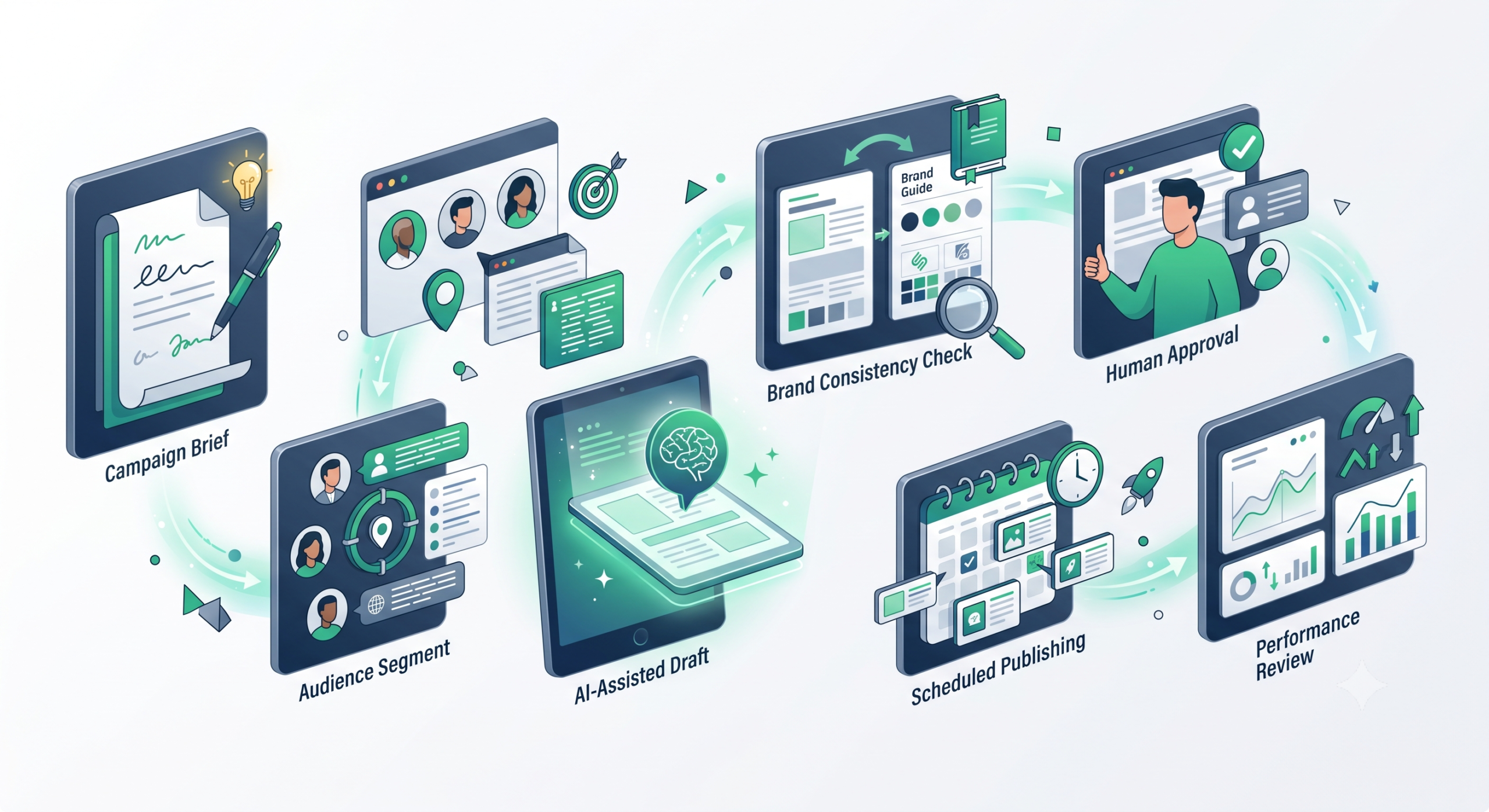
The important detail is the approval step. AI can help create variations and speed up production, but public-facing brand content should not be published automatically without review unless the business has strong safeguards and a low-risk use case.
Practical Use Cases for Small Businesses
Automated branding is most useful when a business repeats similar brand tasks often. It is less useful when the business has not yet defined its positioning, offer, or visual identity.
1. Email campaigns
Email is a common starting point because many small businesses already use newsletters, welcome sequences, abandoned cart emails, lead nurturing, or customer follow-ups. Mailchimp’s documentation describes customer journeys as automated paths that can respond to customer actions and interactions through its Customer Journey overview.
Automated branding adds another layer: the emails should not only send at the right time; they should also match the brand voice, use approved offers, and avoid inconsistent claims.
2. Social media content production
Small businesses often post across multiple platforms, but consistency becomes difficult when posts are made quickly. Automated branding can use templates, approval queues, reusable caption structures, and content calendars to make posts feel like they come from the same brand.
3. Lead nurturing
When a lead downloads a guide, books a call, or submits a form, the follow-up should match the brand’s positioning. A premium consulting brand should not send generic, aggressive, or overly casual messages if that conflicts with its identity.
4. Sales enablement
Sales decks, proposals, one-page PDFs, and follow-up emails often become inconsistent as teams edit old files. Automated branding can reduce that by giving sales teams approved templates and structured messaging blocks.
5. Multi-location or multi-service businesses
If a company has several locations, departments, or service lines, automated branding can help maintain consistency while still allowing controlled local variation.
6. Content repurposing
A blog post can become social posts, an email, a LinkedIn update, and a short video script. Automation can help create the first drafts, but brand rules should guide tone, claims, formatting, and approval.
If your focus is the operational side of these systems, TakeYourAI’s guide to AI automation workflows for small business is a useful next step.
Tools That Can Support Automated Branding
No single tool owns automated branding. In most small businesses, the system is a combination of brand asset tools, marketing automation platforms, content tools, workflow automation tools, and review processes.
Brand asset and design tools
Brand kits help teams keep logos, colors, fonts, and assets organized. Canva’s official help center says Brand Kits let teams upload and organize official logos, colors, fonts, and assets in one place through its Brand Kit documentation. Adobe Express also describes brand kits as a way to upload brand assets and access fonts, colors, and logos to speed up content creation in its brand kit guide.
These tools do not replace brand strategy. They help apply a strategy once it exists.
Marketing automation platforms
Marketing automation platforms can trigger emails, segment audiences, schedule campaigns, and automate follow-ups. The branding layer should define what those messages should sound like, which templates should be used, and where approval is required.
Workflow automation tools
Workflow automation tools can connect forms, CRMs, spreadsheets, content calendars, approval tasks, and publishing tools. If you are choosing between automation platforms, use TakeYourAI’s tool comparisons instead of choosing based only on popularity.
AI writing and content tools
AI can help draft campaign copy, summarize customer insights, create variations, and adapt messages for different channels. But the workflow should make the AI output pass through brand rules and human review before publication.
Project management and approval systems
Approval is part of branding. A simple task board can be enough for a small team. The important point is that every public asset has a clear status: draft, review, approved, scheduled, published, or revised.
| Tool Category | Role in Automated Branding | What to Verify |
|---|---|---|
| Brand kit or design platform | Stores and applies approved visual identity | Asset controls, template access, team permissions |
| Marketing automation platform | Sends campaigns and customer journey messages | Segmentation, triggers, testing, approval options |
| Workflow automation tool | Connects apps and routes work between systems | Integrations, error handling, logs, ownership |
| AI content assistant | Creates drafts, variations, summaries, and ideas | Brand context, review controls, data handling |
| Project management tool | Tracks drafts, reviews, approvals, and deadlines | Clear statuses, assignees, notifications, audit trail |
For a broader view of tools that can support small business automation, review TakeYourAI’s guide to the best AI automation tools for small business.
Risks and Mistakes to Avoid
Automated branding can make a small team look more consistent, but it can also spread mistakes faster. The more automated the workflow becomes, the more important the safeguards become.
Mistake 1: Automating before the brand is clear
If your positioning, audience, offer, and voice are unclear, automation will not fix the problem. It may only create more inconsistent content. Define the brand rules first, then automate their application.
Mistake 2: Treating templates as strategy
Templates help with consistency, but they do not decide what your brand should stand for. A template can enforce colors and layout. It cannot decide whether your message is relevant, differentiated, or believable.
Mistake 3: Publishing AI-generated content without review
AI can create drafts quickly, but it can also produce vague claims, wrong details, inconsistent tone, or content that sounds unlike the brand. Human review is especially important for ads, sales pages, legal-sensitive claims, pricing-related statements, and customer-facing emails.
Mistake 4: Over-personalizing without enough data quality
Personalization can improve relevance, but only if the customer data is accurate and used responsibly. Bad data can create awkward or incorrect messages. Sensitive data also requires stronger privacy controls.
Mistake 5: Ignoring channel differences
Consistency does not mean identical content everywhere. A LinkedIn post, welcome email, landing page, and sales proposal may share the same message, but each channel needs a different format and level of detail.
Mistake 6: No performance feedback loop
Brand consistency is not only about looking polished. The workflow should also show whether campaigns are working. If performance data never improves the brand rules or templates, the system becomes static.
| Risk | Business Consequence | Safeguard |
|---|---|---|
| Off-brand AI drafts | Inconsistent voice and weaker trust | Brand prompts, examples, review checklist |
| Wrong visual assets | Campaigns look disconnected | Central brand kit and approved templates |
| Unsupported claims | Reputation or compliance risk | Claim review and approval before publishing |
| Bad segmentation | Irrelevant or awkward customer messages | Data cleanup and test audiences |
| No ownership | Workflows break and no one fixes them | Documented owner, logs, and maintenance process |
How to Start With Automated Branding
The safest way to start is not to automate every brand touchpoint. Start with one repeatable workflow where inconsistency is visible and the risk is manageable.
- Choose one workflow: Pick a recurring process such as newsletter creation, social posts, lead follow-up, or campaign landing pages.
- Write the brand rules: Define tone, audience, key phrases, visual rules, claims to avoid, and calls to action.
- Create approved templates: Build templates for the selected channel before adding automation.
- Add a trigger: Decide what starts the workflow, such as a campaign brief, calendar date, form submission, or CRM stage.
- Use AI only where it helps: Use AI for drafts, variations, summaries, or repurposing, not for final approval.
- Add human review: Create a review step for tone, accuracy, brand fit, and risky claims.
- Track the result: Review engagement, conversions, complaints, replies, or manual time saved.
- Improve the system: Update templates and rules based on what actually works.
If you want to build a repeatable system rather than a one-off campaign, TakeYourAI’s workflow templates can help you think in triggers, inputs, review steps, and outputs.
Final Recommendation
Automated branding is worth using when your business already has a basic brand direction and produces repeatable marketing assets. It is especially useful for newsletters, social posts, lead nurturing, sales documents, campaign pages, and multi-channel content workflows.
You should wait if your offer, audience, positioning, or visual identity is still unclear. Automation works best when it applies good rules. It performs poorly when it repeats weak or unfinished decisions.
Start with one branded workflow, keep human approval in place, and measure whether the system improves consistency, speed, and quality. That is the practical value of automated branding: not replacing brand thinking, but making good brand decisions easier to repeat.
FAQ
What is automated branding?
Automated branding is the use of brand rules, templates, automation tools, and review workflows to keep a business visually and verbally consistent across marketing channels.
Is automated branding the same as marketing automation?
No. Marketing automation focuses on automating marketing actions such as emails, customer journeys, and follow-ups. Automated branding focuses on keeping those actions consistent with the brand’s voice, visuals, and messaging rules.
Can AI help with automated branding?
Yes, AI can help draft copy, create variations, summarize campaign ideas, and adapt messages for different channels. Human review is still important before publishing public-facing content.
What tools are used for automated branding?
Common tool categories include brand kit tools, design platforms, marketing automation software, workflow automation tools, AI content assistants, and project management systems for review and approval.
What is the biggest risk of automated branding?
The biggest risk is scaling inconsistent or inaccurate content. If the brand rules are unclear or AI-generated drafts are published without review, automation can spread mistakes faster.
Should small businesses use automated branding?
Small businesses should consider it when they create repeatable marketing assets and want more consistency across channels. They should start with one workflow before automating the entire brand process.