
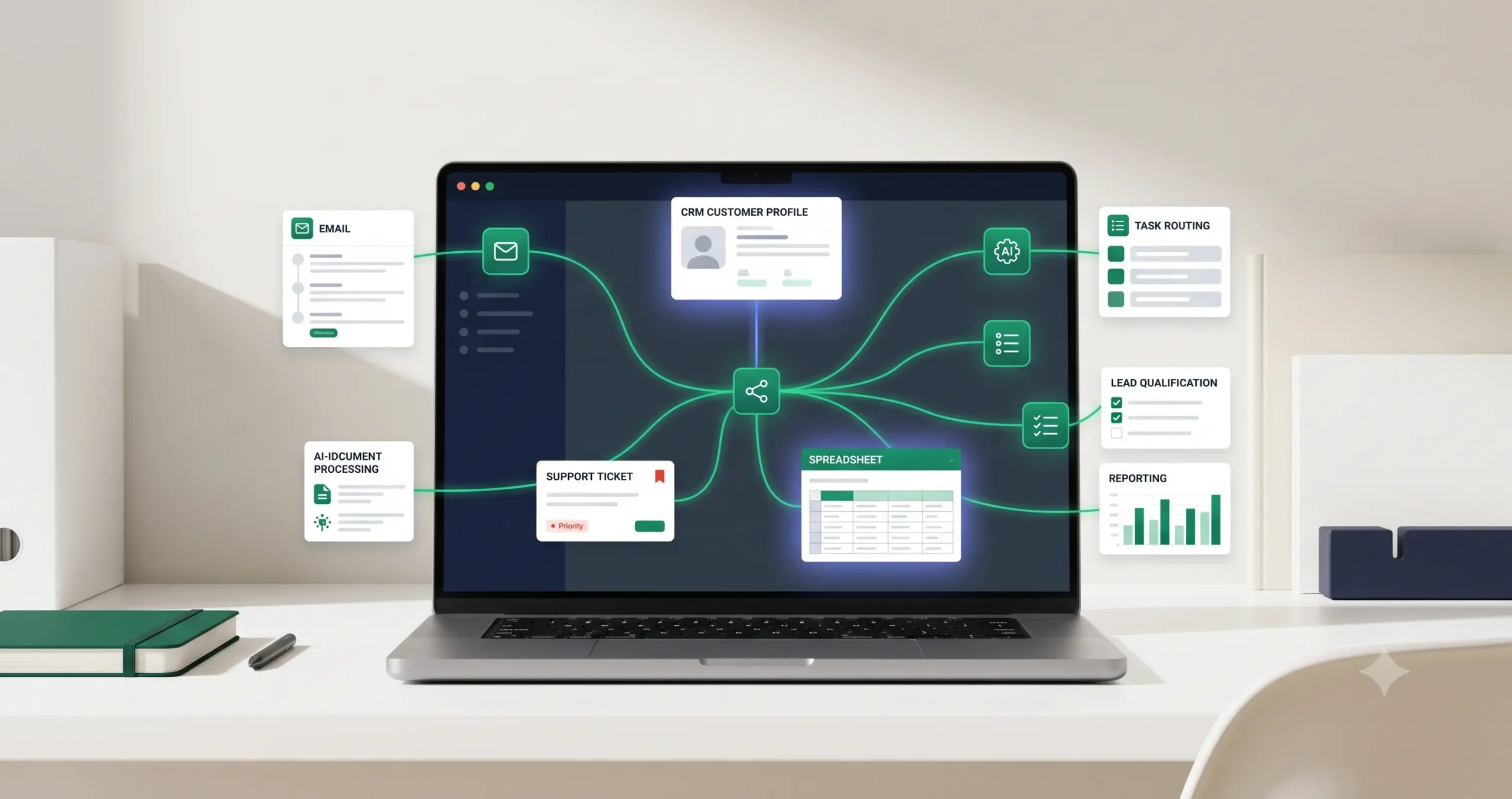
AI Automation Workflows for Small Business: 15 Practical Examples
AI automation workflows are most useful when they are connected to real business tasks, not when they are treated as random AI experiments. A small business does not need dozens of disconnected AI tools. It needs a few reliable workflows that reduce repetitive work, move data between systems, help teams respond faster, and keep important decisions under human control.
This guide breaks down 15 practical AI automation workflows for small businesses. If you are completely new to this topic, start with our AI automation for small business guide first, then come back to these examples when you are ready to choose your first workflow.
After you choose the workflow you want to build, use Best AI Automation Tools for Small Business to choose the right stack, then compare workflow builders such as n8n vs Zapier, n8n vs Make, and Make vs Zapier before adapting templates or building a production workflow.
What Is an AI Automation Workflow?
An AI automation workflow is a repeatable process where software tools, business data, and AI steps work together to complete part of a business task. The workflow usually starts with a trigger, processes information, uses AI to classify, summarize, score, extract, or generate something, then sends the result to another business tool.
A simple workflow might look like this: a lead fills out a form, AI summarizes the request, the workflow scores the lead, the CRM is updated, and the sales team receives a notification. A more advanced workflow might include routing rules, approval steps, error handling, and reporting.
The important point is that AI is only one part of the system. The real value comes from connecting AI to a clear business process.
The Basic Anatomy of an AI Automation Workflow
Before looking at examples, it helps to understand the basic structure behind most AI automation workflows. The tools may change, but the logic is usually similar.
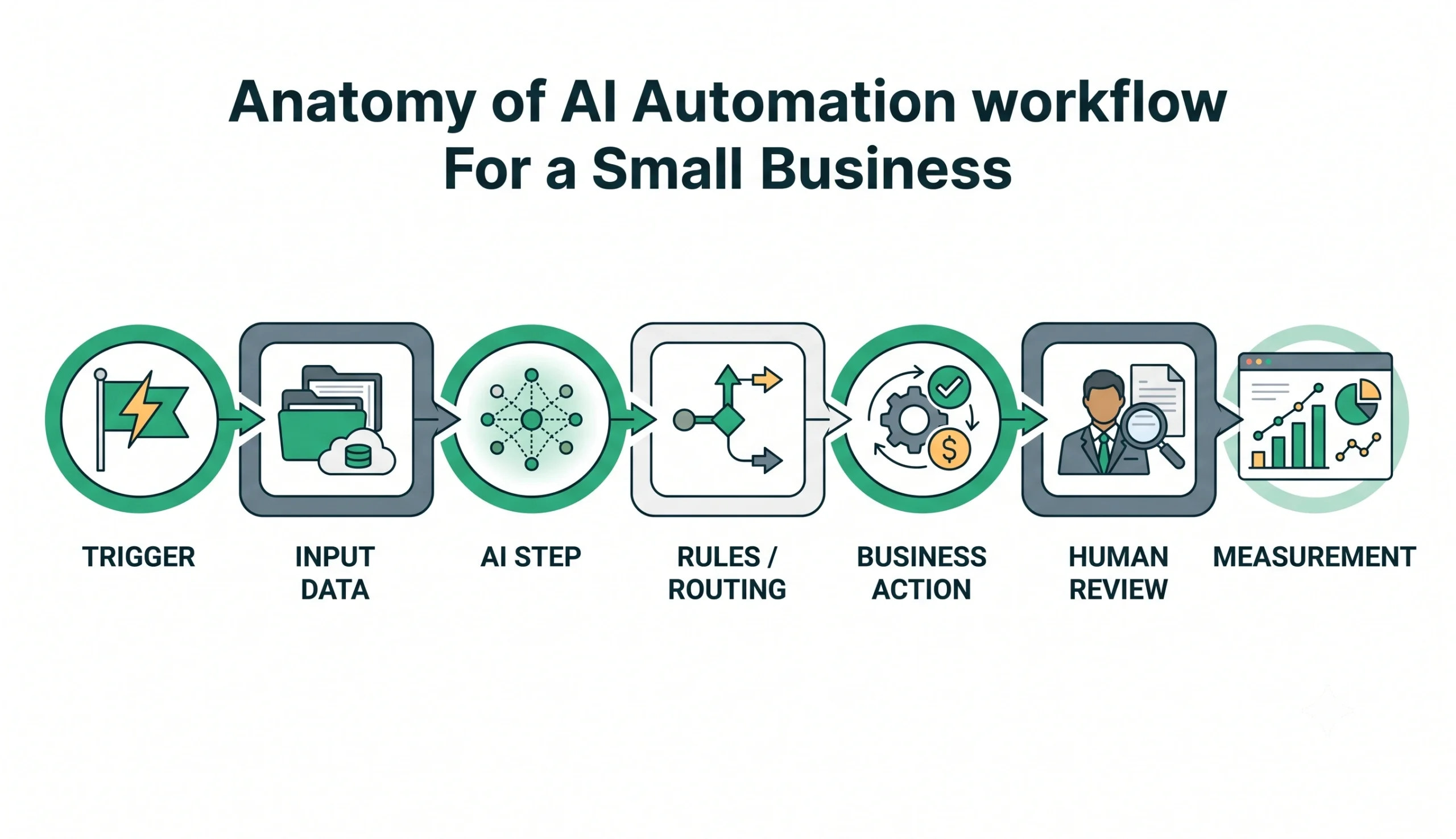
| Workflow Part | What It Means | Example |
|---|---|---|
| Trigger | The event that starts the workflow. | A new form submission, email, order, ticket, or CRM update. |
| Input Data | The information the workflow needs to process. | Name, email, message, order details, transcript, document, or lead source. |
| AI Step | The AI action inside the workflow. | Summarize, classify, extract, score, rewrite, route, or draft. |
| Rules / Routing | Logic that decides what happens next. | If lead score is high, notify sales. If support issue is urgent, escalate. |
| Business Action | The practical output of the workflow. | Update CRM, send email draft, create task, notify team, or generate report. |
| Human Review | A safety step before important actions. | Approve an email, review a summary, confirm a lead score, or check extracted data. |
| Measurement | Tracking whether the workflow is useful. | Time saved, errors reduced, response time, completed tasks, or conversion rate. |
15 Practical AI Automation Workflow Examples
The examples below are designed for small businesses, agencies, consultants, ecommerce teams, service businesses, and lean operations teams. You do not need to build all of them. Choose one workflow, test it carefully, and improve it before adding more automation.
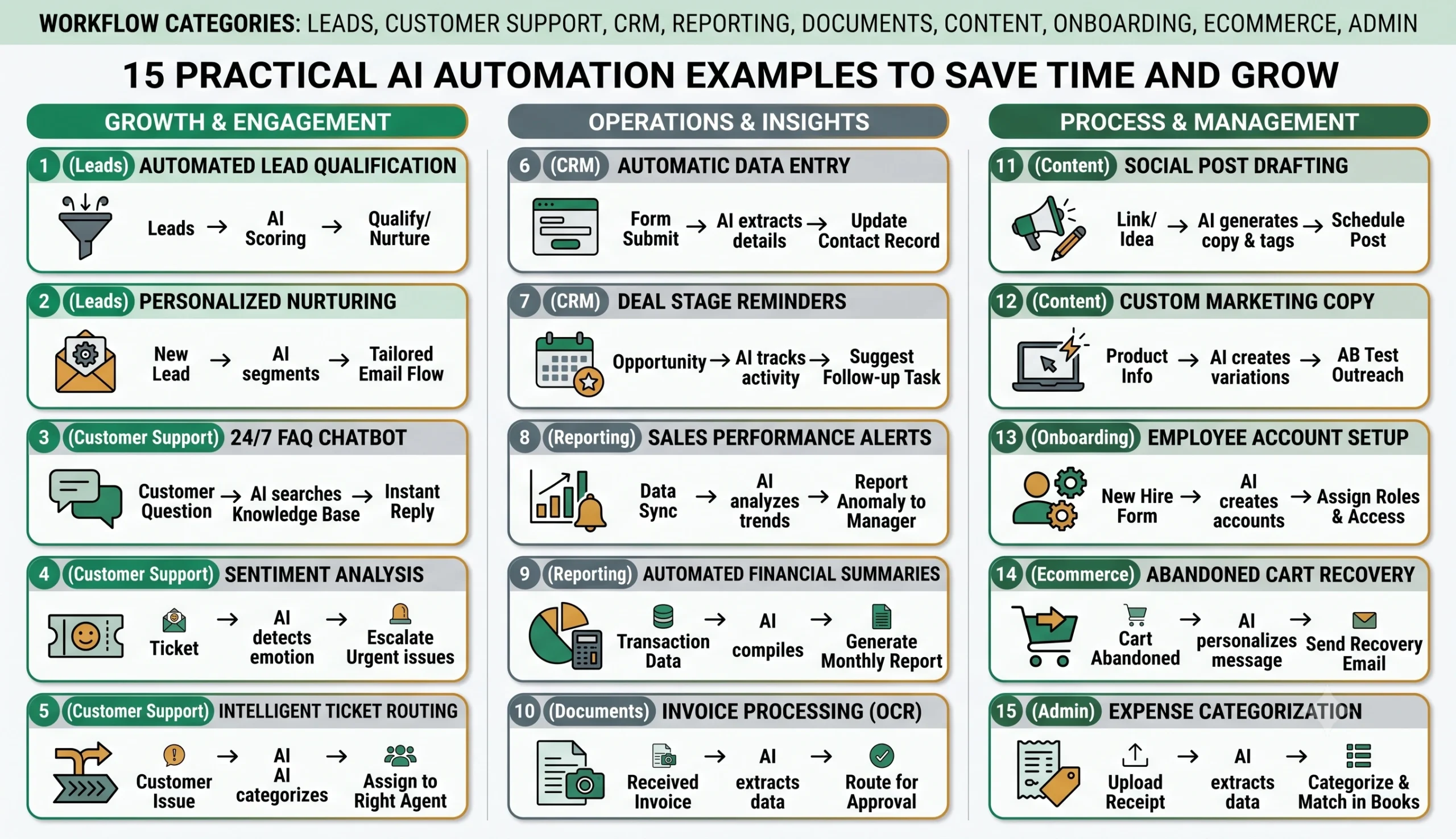
1. Lead Qualification Workflow
A lead qualification workflow helps a business sort new leads by quality, urgency, fit, and next action. Instead of manually reading every form submission, the workflow can summarize the lead, score it, classify the request, and notify the right person.
A typical version starts when someone submits a contact form. The workflow sends the form data to an AI step, which summarizes the request and identifies key details such as budget, service interest, location, urgency, and company type. Then routing rules decide whether the lead should go to sales, support, a CRM pipeline, or a follow-up list.
2. Contact Form Summarization Workflow
Many businesses receive form messages that are long, vague, or repetitive. A contact form summarization workflow turns each submission into a short internal summary so the team can understand the request faster.
The workflow can extract the sender’s main goal, requested service, urgency, possible objections, and suggested next step. Instead of opening the full message every time, the team sees a clean summary inside Slack, email, a CRM note, or a task management tool.
3. CRM Update Workflow
CRM systems become messy when people forget to update records. An AI-assisted CRM update workflow can take information from forms, emails, call notes, or spreadsheets and convert it into structured CRM fields.
For example, when a new lead arrives, AI can extract the company name, industry, requested service, estimated budget, and next action. The workflow then updates the CRM record or prepares the update for human approval.
This type of workflow should be handled carefully. Do not let AI overwrite important CRM fields without review until the workflow has been tested with enough real examples.
4. Customer Support Triage Workflow
A customer support triage workflow helps teams sort incoming support requests by topic, urgency, sentiment, and required action. This is useful when a small team receives repeated questions but does not have time to manually classify every ticket.
The workflow can read a new support email or ticket, summarize the issue, detect whether it is urgent, assign a category, and route it to the right person. For simple repeated questions, it can also draft a suggested reply for human review.
5. Meeting Notes Summary Workflow
Meetings often create useful information, but the notes stay scattered. A meeting notes summary workflow turns transcripts or rough notes into structured summaries, decisions, tasks, and follow-up items.
The workflow can take a transcript from a meeting tool, extract action items, identify owners, summarize decisions, and create tasks in a project management system. This is especially useful for agencies, consultants, sales teams, and internal operations teams.
6. Sales Follow-Up Email Workflow
Sales follow-up is repetitive but still needs a human touch. An AI workflow can draft follow-up emails based on lead details, previous conversation notes, meeting summaries, or CRM status.
The safest version does not send the email automatically. Instead, it creates a draft that a human can review, edit, and approve. This keeps the process efficient without losing control over tone, accuracy, or promises made to the customer.
7. Review Monitoring Workflow
A review monitoring workflow helps a business track new reviews from platforms where customers leave feedback. The workflow can summarize the review, classify sentiment, detect urgent complaints, and notify the team.
For example, a positive review can be sent to a marketing folder, while a negative review can create a task for customer support. AI can also draft a suggested response, but a human should approve it before publishing.
8. Invoice and Document Extraction Workflow
Many small businesses still process invoices, receipts, forms, and PDFs manually. An AI document extraction workflow can pull useful information from documents and prepare it for spreadsheets, accounting tools, or internal review.
A simple workflow might extract vendor name, date, total amount, invoice number, due date, and category. The workflow can then send the data to a spreadsheet or create a review task for someone to confirm the details.
This workflow can save time, but accuracy matters. Always include a review step before using extracted data for payments, taxes, accounting, or financial reporting.
9. Content Brief Generation Workflow
A content brief workflow helps marketing teams turn a topic idea into a structured article brief. The workflow can collect the topic, target keyword, audience, search intent, internal links, and content angle, then generate a draft outline.
This does not mean AI should publish the article automatically. The better use case is to speed up research organization, outline creation, and editorial planning while leaving final writing, fact-checking, and publishing decisions to a human editor.
10. Weekly Business Reporting Workflow
Small business reporting often requires pulling information from multiple tools. A weekly reporting workflow can collect data from spreadsheets, CRM systems, forms, analytics tools, or project management platforms and produce a short operational summary.
The workflow can summarize new leads, open tasks, support volume, sales updates, campaign performance, or project status. This helps the owner or manager see what changed without manually opening every tool.
11. New Customer Onboarding Workflow
A new customer onboarding workflow helps businesses deliver a consistent experience after a sale or signup. The workflow can create onboarding tasks, send internal notifications, prepare welcome email drafts, and organize customer information.
For service businesses, this might include collecting intake forms, summarizing client goals, creating project folders, assigning team tasks, and preparing the first onboarding message.
12. Internal Knowledge Base Assistant Workflow
Teams often waste time asking the same internal questions. A knowledge base assistant workflow can help employees find answers from approved internal documents, SOPs, policies, and training materials.
The workflow should be designed carefully. It should answer only from approved sources, show where the answer came from when possible, and avoid making up policy or process details. This is especially important for operations, HR, support, and compliance-related information.
13. Social Media Content Repurposing Workflow
A content repurposing workflow can turn one piece of content into several smaller formats. For example, a blog post can become LinkedIn post ideas, short newsletter sections, social captions, or content snippets.
The workflow can extract key points, create draft variations, and organize them in a content calendar. A human should still review the tone, accuracy, and brand fit before publishing.
14. Ecommerce Order Issue Routing Workflow
Ecommerce teams often deal with repeated order issues such as shipping questions, refund requests, damaged products, missing items, and address changes. An AI workflow can classify the issue and route it to the correct process.
For example, the workflow can detect whether a message is about shipping, refund, product damage, or order change. Then it can create a support task, draft a reply, or notify the right team member.
15. Client Intake Workflow
A client intake workflow helps service businesses turn messy intake information into a clean internal overview. This is useful for consultants, agencies, lawyers, accountants, coaches, and professional services.
The workflow can summarize client goals, extract important details, identify missing information, create a checklist, and prepare the next step. It can also flag unclear answers so the team knows what to ask before the first meeting.
How to Choose Your First AI Automation Workflow
The wrong way to start is to ask, “What is the most advanced automation we can build?” The better question is, “Which repeated process is painful enough to automate but simple enough to test safely?”
Use the checklist below to choose your first workflow.
| Selection Question | Why It Matters | Good Sign |
|---|---|---|
| Does the task repeat often? | Automation is more valuable when the task happens every day or week. | Leads, support tickets, reports, forms, or CRM updates happen regularly. |
| Is the input data clear? | AI performs better when the workflow receives predictable information. | The workflow starts from forms, emails, structured notes, or tickets. |
| Can you define a correct output? | You need to know what a good result looks like before automating. | A summary, category, score, draft, task, or CRM update can be reviewed. |
| Is there a safe review step? | Human approval reduces risk when AI output affects customers or records. | The workflow creates drafts or suggestions before final action. |
| Can success be measured? | You need proof that the workflow is actually useful. | You can track time saved, faster response, fewer errors, or cleaner data. |
For most small businesses, the best first workflow is usually one of these: lead qualification, support triage, CRM updates, meeting summaries, or weekly reporting. These are practical, repeated, and easier to test than complex autonomous agents.
Which Tools Can Build These Workflows?
You can build AI automation workflows with different types of tools. The right choice depends on your technical skill, workflow complexity, budget, integrations, and how much control you need.
No-code and low-code workflow platforms like Zapier, Make, and n8n are common options for connecting apps and automating business processes. Some teams also use CRM automation, help desk automation, spreadsheets, databases, or custom scripts depending on the workflow.
If you are still deciding which platform or tool category to use, start with Best AI Automation Tools for Small Business. It explains how workflow builders, AI model layers, CRM systems, support agents, reporting tools, and operations platforms fit together in a practical small business automation stack.
If you already have a shortlist of workflow builders, compare the tools directly before committing. Read n8n vs Zapier if you are choosing between simple app automation and deeper technical workflow control. Read n8n vs Make for AI automation if you are choosing between a technical workflow builder and a visual scenario builder. Read Make vs Zapier if you are choosing between visual scenario building and simple trigger-action automation.
You can also browse the broader AI automation tool comparisons page before committing to one stack.
| Tool Type | Best For | Watch Out For |
|---|---|---|
| No-code automation platforms | Simple workflows, fast setup, common app connections. | Costs and limitations can grow as workflow volume increases. |
| Visual workflow builders | Multi-step workflows, routing, app integrations, team-friendly setup. | Complex workflows still need careful testing and documentation. |
| Self-hosted or technical tools | More control, custom logic, privacy-sensitive workflows. | Requires more technical skill and maintenance. |
| CRM or help desk automation | Sales, support, customer operations, pipeline updates. | Can become messy if fields, rules, and ownership are not defined. |
| Custom workflows | Advanced business logic, unique systems, high-volume operations. | Higher build and maintenance effort. |
For ready-to-use ideas, you can also explore our workflow templates section. Templates are helpful when you already understand the logic and want a faster starting point.
Common Mistakes to Avoid
AI automation can be powerful, but it can also create messy systems if it is added without planning. These mistakes are common when small businesses rush into automation too quickly.
Automating a Broken Process
If the current process is unclear, automation will not fix it. It may only make the confusion faster. First define the task, owner, input, output, approval step, and success metric.
Removing Human Review Too Early
Fully automatic workflows sound attractive, but many business tasks still need approval. Keep human review for customer messages, financial data, legal information, important CRM updates, and sensitive decisions.
Choosing Tools Before Defining the Workflow
Tool selection should come after workflow design. If you choose a platform first, you may force your process to fit the tool instead of choosing the tool that fits the process.
Ignoring Error Handling
Workflows fail when APIs are unavailable, data is missing, fields change, or AI output is unclear. A serious workflow should include fallback steps, notifications, and a way to review failed runs.
Not Measuring Results
Automation should improve something measurable. Track time saved, response speed, error reduction, lead handling, customer satisfaction, or operational visibility.
Start Small, Then Build a Workflow System
The best AI automation workflows usually start small. Pick one repeated task, map the process, define the input and output, add an AI step, include human review, and test the workflow with real examples.
Once the first workflow works reliably, document it and improve it before building the next one. Over time, your small business can move from isolated automations to a connected workflow system.
For the full foundation, read our AI automation for small business guide. If you are ready to choose the tools behind your workflow, read Best AI Automation Tools for Small Business. For direct workflow-builder decisions, compare n8n vs Zapier, n8n vs Make for AI automation, and Make vs Zapier. To continue exploring the site, visit Start Here, browse AI Automation Guides, compare tools in Tool Comparisons, or explore Workflow Templates.
FAQ
What is an AI automation workflow?
An AI automation workflow is a repeatable business process where software tools and AI steps work together to complete part of a task, such as summarizing information, routing leads, updating a CRM, drafting emails, or generating reports.
What is the best AI automation workflow for a small business to start with?
The best first workflow is usually a simple repeated process with clear input data and a safe review step. Lead qualification, support triage, CRM updates, meeting summaries, and weekly reporting are strong starting points.
Do AI automation workflows need coding?
Not always. Many workflows can be built with no-code or low-code tools. More advanced workflows may require technical setup, especially when custom logic, self-hosting, private data, or complex integrations are involved.
Can AI automation replace employees?
In most small business workflows, AI automation is better used to reduce repetitive work, organize information, draft outputs, and support decision-making. Human review is still important for customer communication, sensitive data, financial decisions, and strategic work.
Which tools are used for AI automation workflows?
Common options include workflow automation platforms, CRM automation tools, help desk systems, spreadsheets, databases, and AI model providers. The right stack depends on the workflow, budget, integrations, technical skill, and control requirements. For a broader overview, read Best AI Automation Tools for Small Business. If you are comparing workflow builders directly, review n8n vs Zapier, n8n vs Make, and Make vs Zapier.
3 Comments
Comments are closed.