

Best AI Automation Tools for Small Business: Choose the Right Workflow Stack
Choosing the best AI automation tools for small business is not about finding one magic platform that does everything. It is about building the right workflow stack: one tool for connecting apps, one layer for AI processing, one system for CRM or operations, and a clear process for human review.
A small business does not need every AI tool on the market. It needs a practical stack that can save time, reduce manual work, improve follow-up, organize data, and support daily operations without creating a confusing system nobody can maintain.
If you are new to this topic, start with our AI automation for small business guide. If you need real examples before choosing tools, read 15 AI automation workflow examples for small businesses.
If you already know you want a workflow automation platform, compare n8n vs Zapier, n8n vs Make, and Make vs Zapier before choosing your stack.
After you choose the right tool stack, you can turn the decision into implementation by reviewing workflow templates and browsing the broader tool comparisons library when you need deeper platform comparisons.
Quick Recommendations by Use Case
The best AI automation tool depends on the business problem. A tool that is excellent for support automation may not be the best choice for CRM updates, browser research, or advanced API workflows.
| Use Case | Best Starting Tools | Why They Fit |
|---|---|---|
| Simple app-to-app automation | Zapier | Good for fast setup, common app connections, and beginner-friendly workflows. |
| Visual workflow automation | Make | Useful for visual scenarios, routers, filters, and flexible no-code workflows. |
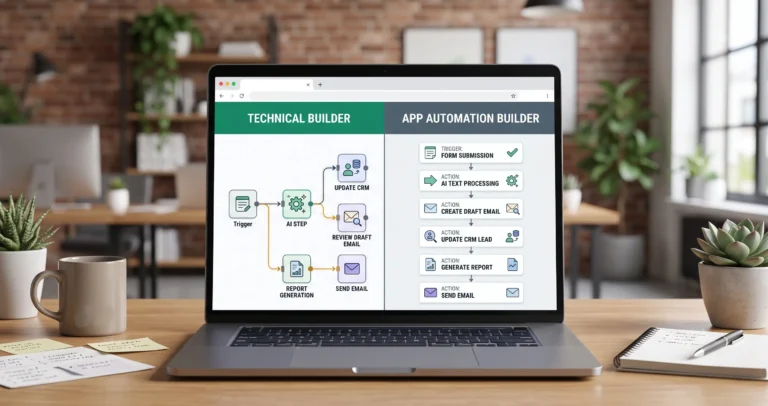
| Technical automation and custom logic | n8n, Pipedream | Better for API-heavy workflows, technical users, and deeper control. |
| Open-source automation | n8n, Activepieces | Useful when control, self-hosting, or open-source flexibility matters. |
| CRM automation | HubSpot, Airtable, monday.com | Good for managing leads, records, pipelines, projects, and operational data. |
| Customer support AI agents | Chatbase, CustomGPT, Intercom Fin | Useful for answering customer questions, support triage, and knowledge-base automation. |
| Browser research and repetitive web tasks | Bardeen | Useful for browser-based workflows, prospecting, enrichment, and repetitive knowledge work. |
This does not mean every small business needs all of these tools. A strong beginner stack may be as simple as Zapier plus Google Sheets plus an AI model. A more advanced stack may use n8n, Airtable, HubSpot, and an AI support agent.
What Is an AI Automation Tool?
An AI automation tool helps a business connect apps, move data, trigger actions, and use AI inside a repeatable workflow.
For example, a small business can use AI automation to:
- score and classify new leads,
- summarize customer emails,
- route support tickets,
- update CRM records,
- draft follow-up messages,
- turn form submissions into tasks,
- generate weekly reports,
- send alerts when important events happen.
A complete AI automation workflow usually has seven parts:
- Trigger: something starts the workflow, such as a form submission or new email.
- Input data: the workflow collects the data needed for the decision.
- AI step: the AI summarizes, classifies, extracts, scores, or drafts something.
- Rules: the workflow decides what should happen next.
- Action: the system updates a CRM, sends a message, creates a task, or generates a report.
- Human review: a person checks sensitive outputs before they reach customers.
- Measurement: the business tracks time saved, errors reduced, or response speed improved.
For a deeper explanation of this structure, read our complete guide to AI automation for small business.
AI Automation Tool Stack Map
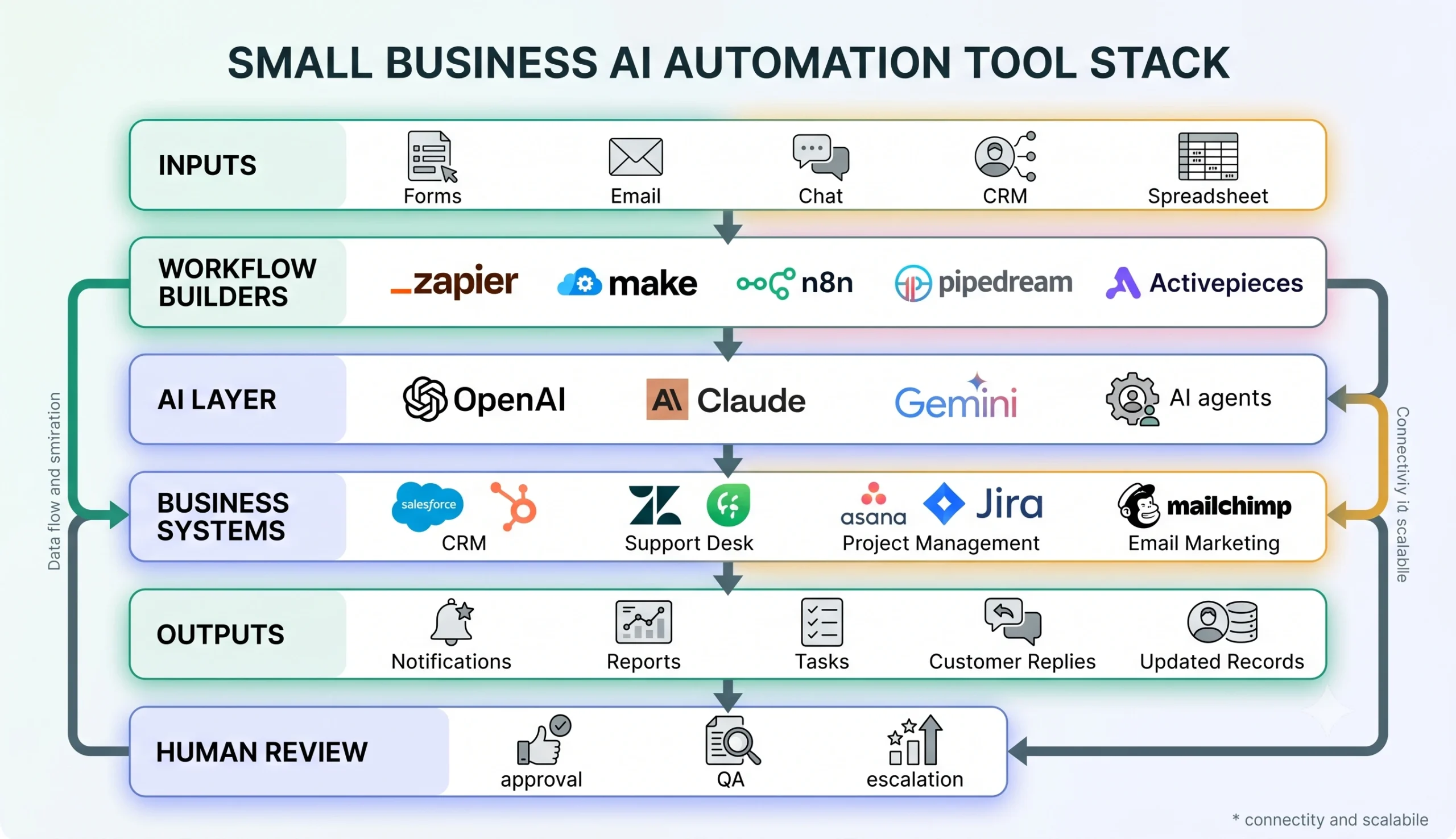
AI automation is not one tool. It is a connected stack of inputs, workflow builders, AI models, business systems, outputs, and human review.
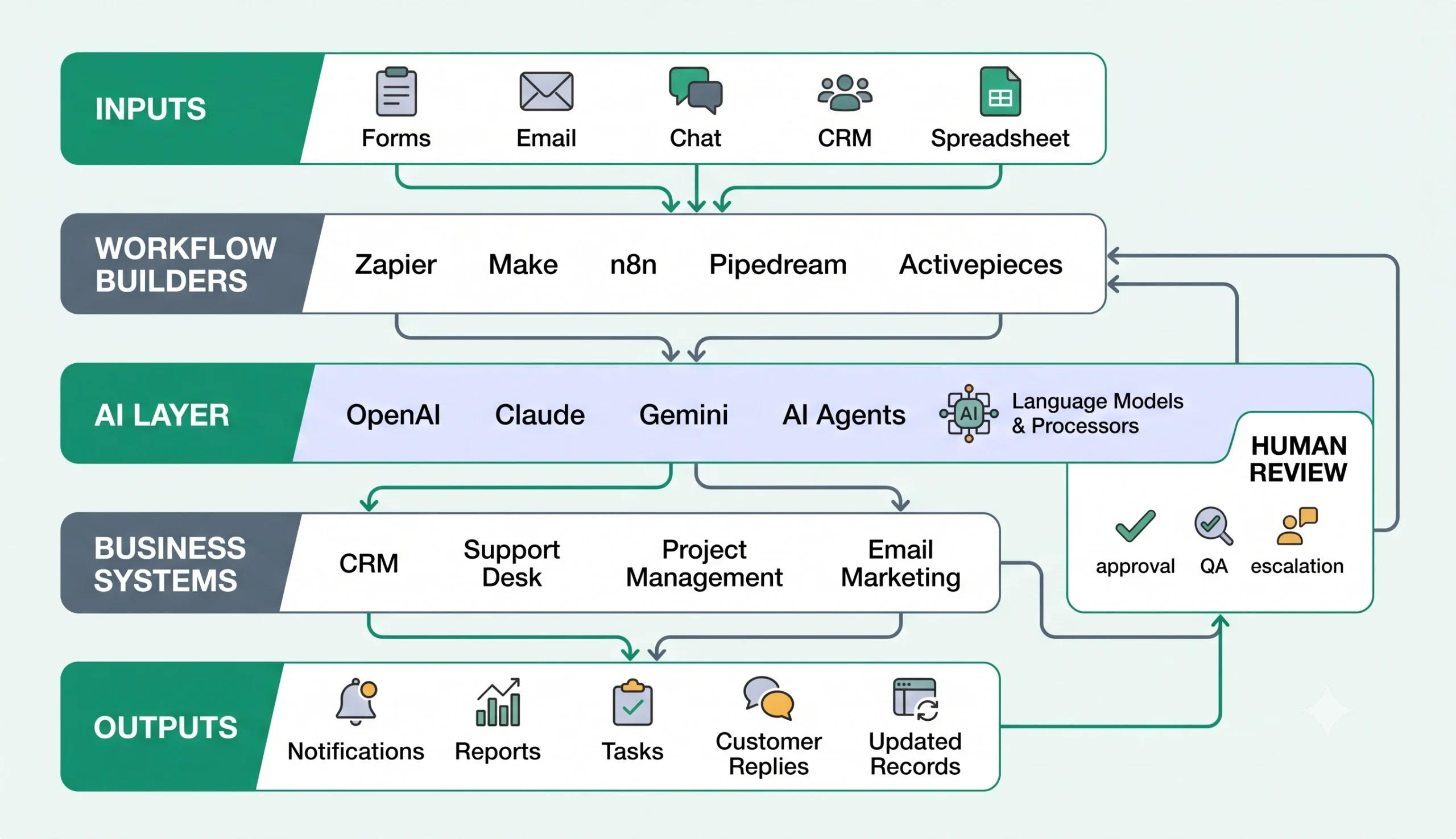
The biggest mistake is choosing a tool before defining the workflow. Start with the business problem first. Then choose the tool that fits the workflow.
If you still need to define the process, go back to the AI automation for small business guide or study 15 practical AI automation workflow examples before comparing platforms.
For example:
- If you need simple app connections, Zapier may be enough.
- If you need visual scenarios with filters and routes, Make may fit better.
- If you need advanced technical control, n8n or Pipedream may be stronger.
- If you need customer-facing AI support, Chatbase, CustomGPT, or Intercom Fin may be more relevant.
- If the workflow lives inside your CRM, HubSpot or monday.com may be the better center of gravity.
Best Workflow Automation Builders
1. Zapier — Best for Simple App-to-App Automation
Zapier is often the easiest automation tool for small businesses that want to connect common apps quickly. It works well for simple workflows such as moving form submissions into a CRM, sending email alerts, creating tasks, or updating spreadsheets.
Zapier workflows are called Zaps. A Zap starts with a trigger and then runs one or more actions. You can review Zapier’s official documentation here: Zapier key concepts documentation.
Zapier is a strong fit for:
- non-technical founders,
- small marketing teams,
- simple lead routing,
- form-to-CRM workflows,
- email and Slack notifications,
- quick app connections.
Zapier may not be the best fit if you need very advanced technical control, self-hosting, or complex custom workflow logic. If you are deciding between Zapier and n8n, read our n8n vs Zapier comparison.
2. Make — Best for Visual Workflow Automation
Make is a visual automation platform for building scenarios with modules, routes, filters, and app connections. It is useful when you want to see the workflow visually and manage different paths based on conditions.
Make can be a strong option for small businesses that need more flexibility than simple linear automation but do not want to build a fully technical workflow system.
Make is a strong fit for:
- visual lead routing,
- support triage workflows,
- multi-step CRM updates,
- content operations,
- Google Sheets automations,
- workflows with filters and different branches.
Make’s router feature allows a scenario to branch into multiple routes so different data can be processed differently. You can review the official documentation here: Make router documentation.
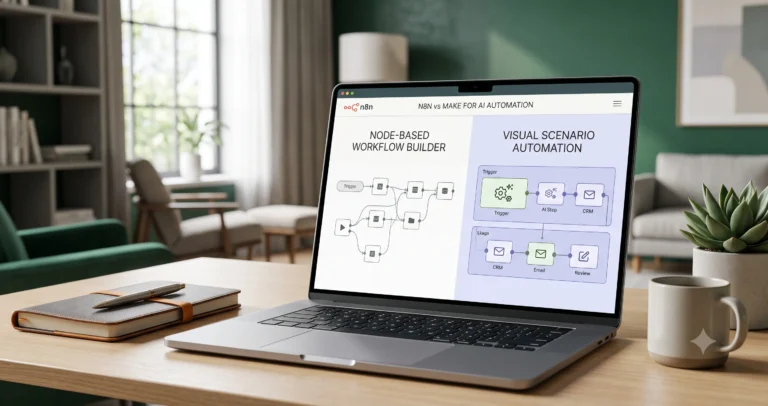
If you are comparing Make and Zapier directly, read our Make vs Zapier comparison. If you are comparing Make with n8n, read our n8n vs Make comparison.
3. n8n — Best for Technical Control and Advanced AI Workflows
n8n is a strong option for users who want deeper control over workflow logic, API calls, data movement, AI steps, and deployment options.
It can be used through a hosted option or self-hosted. Self-hosting can be attractive for technical teams, but it also adds responsibility for setup, security, updates, backups, and monitoring.
n8n is a strong fit for:
- technical operators,
- automation agencies,
- API-heavy workflows,
- custom data transformations,
- AI agent workflows,
- self-hosted automation systems,
- advanced internal operations.
n8n also has AI-related nodes, including an AI Agent node. You can review the official documentation here: n8n AI Agent node documentation.
If n8n is on your shortlist, compare n8n vs Zapier and n8n vs Make before choosing.
4. Pipedream — Best for Developer-Friendly API Automation
Pipedream is useful when your workflow depends heavily on APIs, developer control, custom code, and technical integration work.
It is not always the simplest starting point for non-technical small business owners, but it can be valuable for technical teams that need to connect APIs, build custom workflows, and integrate data sources with more developer flexibility.
Pipedream is a strong fit for:
- developers,
- technical founders,
- API-first workflows,
- custom app integrations,
- automation inside technical products,
- teams that need code-level control.
You can review Pipedream’s official site here: Pipedream workflow builder.
5. Activepieces — Best for Open-Source No-Code Automation
Activepieces is an open-source automation platform that may interest teams that want a no-code automation builder with more control and open-source flexibility.
It can be useful for small businesses, teams, and technical operators that want a more open automation system, especially if they care about self-hosting or reducing vendor lock-in.
Activepieces is a strong fit for:
- open-source automation,
- no-code internal workflows,
- teams that want self-hosting options,
- marketing, sales, operations, HR, and finance workflows,
- businesses that want more control over their automation stack.
You can review Activepieces’ official open-source page here: Activepieces open-source automation.
Best AI Model Layer Tools
Workflow builders move data and trigger actions. AI model tools process information. They summarize, classify, extract, score, generate, or draft output inside the workflow.
The most common AI model layer choices include:
- OpenAI: useful for text generation, classification, extraction, and structured outputs.
- Claude: useful for long-context reading, writing, analysis, and document-heavy workflows.
- Gemini: useful for Google-connected workflows, multimodal tasks, and teams already using Google Workspace.
The best model depends on your use case. A support triage workflow may need classification and routing. A reporting workflow may need summarization. A document workflow may need extraction. A sales workflow may need lead scoring and draft follow-up messages.
For safer AI automation, use human review for customer-facing messages, legal or financial content, important CRM updates, and any action that could affect a customer relationship.
Best CRM and Operations Tools
6. HubSpot — Best for CRM-Centered Automation
HubSpot can be a strong center for small business automation when your workflows revolve around leads, contacts, deals, sales pipelines, marketing, and customer service.
HubSpot also offers Breeze AI tools across marketing, sales, and service use cases. This can make HubSpot useful when the CRM is the main system where customer data, sales activity, and marketing actions already live.
HubSpot is a strong fit for:
- lead management,
- sales pipeline automation,
- marketing workflows,
- CRM updates,
- customer service workflows,
- small businesses that want CRM and automation close together.
You can review HubSpot’s official AI product page here: HubSpot Breeze AI tools.
7. Airtable — Best for Database-Style Operations
Airtable is useful when your small business runs on structured data: content calendars, project trackers, inventory lists, client databases, onboarding systems, or lightweight internal operations.
Airtable automations can help teams trigger actions from changes inside bases, and Airtable can also connect to external automation tools like Zapier, Make, or n8n when the workflow needs to reach other apps.
Airtable is a strong fit for:
- internal databases,
- content operations,
- client tracking,
- project workflows,
- structured business processes,
- teams that need a flexible spreadsheet-database hybrid.
You can review Airtable’s official automation documentation here: Airtable automations documentation.
8. monday.com — Best for Project and Operations Workflows
monday.com can be useful when your automation needs are tied to project management, operations, team workflows, service work, sales activity, or internal processes.
monday.com offers AI workflows that help automate repetitive tasks and connect tools in one place. This makes it more relevant when the workflow is centered around boards, tasks, status changes, ownership, and team coordination.
monday.com is a strong fit for:
- project workflows,
- operations management,
- sales and service tracking,
- team coordination,
- status-based automations,
- business processes that already live inside monday.com.
You can review monday.com’s official AI workflow documentation here: monday.com AI workflows documentation.
Best AI Support and Chatbot Tools
9. Chatbase — Best for AI Support Agents on Websites
Chatbase is a platform for building and deploying AI support agents. It can be useful for small businesses that want a website AI agent to answer customer questions, guide visitors, or reduce repetitive support requests.
Chatbase is a strong fit for:
- website support agents,
- customer questions,
- knowledge-base automation,
- lead capture conversations,
- small businesses that want an AI assistant on their website.
You can review Chatbase’s official website here: Chatbase AI agents.
10. CustomGPT — Best for Knowledge-Base AI Assistants
CustomGPT can be useful when a business wants an AI assistant trained on its own content, documentation, knowledge base, or business information.
This type of tool can help with customer support, internal knowledge access, onboarding, and frequently asked questions. It is most useful when your business has clear documentation and wants answers grounded in that material.
CustomGPT is a strong fit for:
- knowledge-base AI assistants,
- support documentation,
- internal team knowledge,
- website Q&A assistants,
- businesses with strong documentation.
You can review CustomGPT’s customer service solution page here: CustomGPT customer service solution.
11. Intercom Fin — Best for Mature Customer Support Operations
Intercom Fin is more relevant for businesses that want an AI customer service agent inside a broader support platform.
It may be more than a very small business needs at the beginning, but it can be useful for teams with higher support volume, live chat, help center content, customer context, and a serious customer service operation.
Intercom Fin is a strong fit for:
- customer support teams,
- helpdesk workflows,
- live chat and support automation,
- businesses with higher support volume,
- teams that need customer service AI inside a support platform.
You can review Intercom’s official Fin documentation here: Intercom Fin AI Agent documentation.
Best Browser and Research Automation Tools
12. Bardeen — Best for Browser-Based Research and Repetitive Web Tasks
Bardeen is useful when your automation happens in the browser: prospecting, research, enrichment, web app workflows, or repetitive online tasks.
It may not replace a full workflow automation platform like Zapier, Make, or n8n, but it can be useful for teams that spend a lot of time moving data from websites into spreadsheets, CRMs, or outreach workflows.
Bardeen is a strong fit for:
- browser-based automation,
- prospecting workflows,
- lead research,
- data enrichment,
- repetitive web app tasks,
- sales and marketing research workflows.
You can review Bardeen’s official website here: Bardeen AI automation.
How to Choose the Right Tool
The right AI automation tool depends on five things: ease of use, workflow complexity, AI depth, technical control, and where the business process already happens.
| Decision Factor | Choose This Type of Tool |
|---|---|
| You need fast app connections | Zapier |
| You need visual workflows with routes and filters | Make |
| You need technical control and self-hosting options | n8n |
| You need developer-friendly API workflows | Pipedream |
| You want open-source no-code automation | Activepieces |
| Your automation revolves around CRM | HubSpot |
| Your business runs on structured internal data | Airtable |
| Your workflows are tied to projects and operations | monday.com |
| You need a website AI support agent | Chatbase or CustomGPT |
| You need a mature customer support AI platform | Intercom Fin |
| You need browser research automation | Bardeen |
If the workflow decision is mainly about choosing between automation builders, use the direct comparisons: n8n vs Zapier, n8n vs Make, and Make vs Zapier.
Recommended AI Automation Stacks
Beginner Small Business Stack
This stack is best when a small business wants to start quickly without technical complexity.
- Workflow builder: Zapier
- Data layer: Google Sheets or Airtable
- CRM: HubSpot
- AI layer: OpenAI, Claude, or Gemini
- Best for: simple lead routing, email summaries, CRM updates, and notifications
Visual Operations Stack
This stack is best when the business wants visual workflows with branches, filters, and multiple connected tools.
- Workflow builder: Make
- Data layer: Airtable
- CRM or operations: HubSpot or monday.com
- AI layer: OpenAI, Claude, or Gemini
- Best for: support triage, CRM routing, reporting, content operations, and multi-step workflows
Technical Automation Stack
This stack is best when a technical operator, developer, or agency needs more control.
- Workflow builder: n8n or Pipedream
- Data layer: database, Airtable, or internal system
- Business system: CRM, support desk, or custom app
- AI layer: OpenAI, Claude, or Gemini
- Best for: APIs, advanced AI workflows, self-hosting, custom logic, and internal operations
Customer Support AI Stack
This stack is best when the business wants to reduce repetitive customer support questions.
- AI support agent: Chatbase, CustomGPT, or Intercom Fin
- Knowledge source: help center, FAQs, documentation, policy pages
- Workflow builder: Zapier, Make, or n8n for follow-up actions
- Business system: CRM or helpdesk
- Best for: customer questions, support triage, lead capture, and escalation workflows
Common Mistakes to Avoid
Choosing Tools Before Designing the Workflow
Do not start with “Which tool should I buy?” Start with “What workflow do I need to improve?”
Define the trigger, input data, AI step, rules, action, review process, and measurement before choosing the platform.
Automating Too Much Too Early
The best first automation is usually small, repetitive, and easy to verify. Do not start with your most sensitive customer-facing process.
Start with something like:
- lead notification,
- email summarization,
- CRM note draft,
- weekly report draft,
- support ticket classification.
Ignoring Human Review
AI automation should not remove human judgment from risky workflows. Use human review when the output affects customers, money, legal claims, health advice, private data, or important business decisions.
Forgetting Maintenance
Workflows break when apps change, fields change, credentials expire, or business rules evolve. Choose tools your team can maintain.
Comparing Tools Only by Price
The cheapest tool is not always the best tool. Compare total cost: setup time, maintenance time, workflow volume, AI usage, team skill level, and switching cost.
Final Recommendation
The best AI automation tools for small business are not the tools with the longest feature list. They are the tools that match your actual workflow, your team’s skill level, and the systems your business already uses.
For most small businesses, start with this decision path:
- If you want the easiest app-to-app automation, start with Zapier.
- If you want visual workflow design with routes and filters, consider Make.
- If you want technical control, self-hosting, and advanced AI workflows, consider n8n.
- If you want developer-friendly API automation, consider Pipedream.
- If your workflow lives in CRM, consider HubSpot.
- If your workflow lives in structured internal data, consider Airtable.
- If your workflow lives in team operations, consider monday.com.
- If you need a customer-facing AI support agent, compare Chatbase, CustomGPT, and Intercom Fin.
Before choosing a tool, read the AI automation for small business guide, study practical AI automation workflow examples, and compare your shortlisted platforms in our tool comparisons section.
If you are new to TakeYourAI and want a guided order, visit Start Here or browse the AI Automation Guides hub.
If your shortlist includes workflow builders, start with these comparisons:
Then use workflow templates to turn your chosen tool stack into a real business system.
FAQ
What are the best AI automation tools for small business?
The best AI automation tools for small business depend on the use case. Zapier is strong for simple app automation, Make is strong for visual workflows, n8n is strong for technical control, HubSpot is strong for CRM automation, Airtable is strong for structured operations, and Chatbase or CustomGPT can help with AI support agents.
What is the easiest AI automation tool for beginners?
Zapier is often the easiest starting point for beginners because its trigger-and-action workflow model is simple. Make can also be beginner-friendly for visual builders, but it may require more workflow planning when scenarios become complex.
Which AI automation tool is best for advanced workflows?
n8n and Pipedream are often better for advanced workflows that involve APIs, custom logic, technical control, and more complex automation systems. n8n may be especially attractive when self-hosting or visual technical workflows matter.
Is Zapier better than Make?
Zapier can be better for simple app-to-app automation and fast setup. Make can be better for visual workflow design, routers, filters, and more flexible scenarios. Read our Make vs Zapier comparison if you are choosing between them.
Is n8n better than Zapier?
n8n can be better for technical workflows, custom APIs, self-hosting, and advanced AI automation. Zapier can be better for beginners and simple app connections. Read our n8n vs Zapier comparison for a direct breakdown.
Should a small business use one automation tool or several?
Many small businesses start with one workflow builder, one CRM or data system, and one AI model layer. As workflows grow, they may add support agents, reporting tools, or more advanced automation platforms. Start simple and expand only when the workflow justifies it.
Can AI automation tools replace employees?
AI automation tools are best used to reduce repetitive work, improve routing, summarize information, and support decisions. They should not replace human judgment in sensitive workflows. Human review is still important for customer-facing, legal, financial, health, or high-risk decisions.
What should I automate first in a small business?
Start with a workflow that is repetitive, low risk, easy to verify, and connected to a clear business outcome. Good first examples include lead notifications, CRM note drafts, email summaries, support ticket classification, or weekly report drafts.
Are AI automation tools expensive?
Costs vary by platform, usage volume, AI model usage, number of steps, premium app connections, and maintenance time. Always estimate cost based on your actual workflow rather than comparing tools only by monthly plan price.
How do I choose the right AI automation tool?
Define your workflow first. Identify the trigger, input data, AI step, rules, action, human review, and measurement. Then choose the tool that fits the workflow complexity, team skill level, integrations, AI needs, and maintenance capacity.

One Comment
Comments are closed.